
If you build apps or run mobile ads, you have probably felt the specific frustration of knowing you need more short-form content and not knowing how to make it without it eating your week. UGC ads are the format most people point to because they perform, they feel native to TikTok and Reels, and they do not require a full production crew.
The problem is that most advice about UGC ad creation skips the workflow entirely. You get tips on hooks or lighting but no clear answer to the question that actually slows people down: how do you go from a pile of raw clips to a finished, reviewable ad without rebuilding the same process from scratch every time?
This guide answers that question directly. It covers what UGC video actually is, how to structure your production workflow, what a reusable template looks like in practice, and how tools can compress the time it takes so you can ship more ads without hiring a full team.
Table of Contents
- What is a short-form UGC video?
- UGC vs. content creator: what actually differs
- The anatomy of a UGC ad that works
- A repeatable short-form video workflow template
- Where most workflows break down
- AI tools for UGC ad creation
- What to look for in a workflow tool
- Comparing your options
- A simple recommendation for indie builders
What is a short-form UGC video?

UGC stands for user-generated content, but in the context of paid and organic ads, it has taken on a specific meaning that goes beyond photos tagged on Instagram.
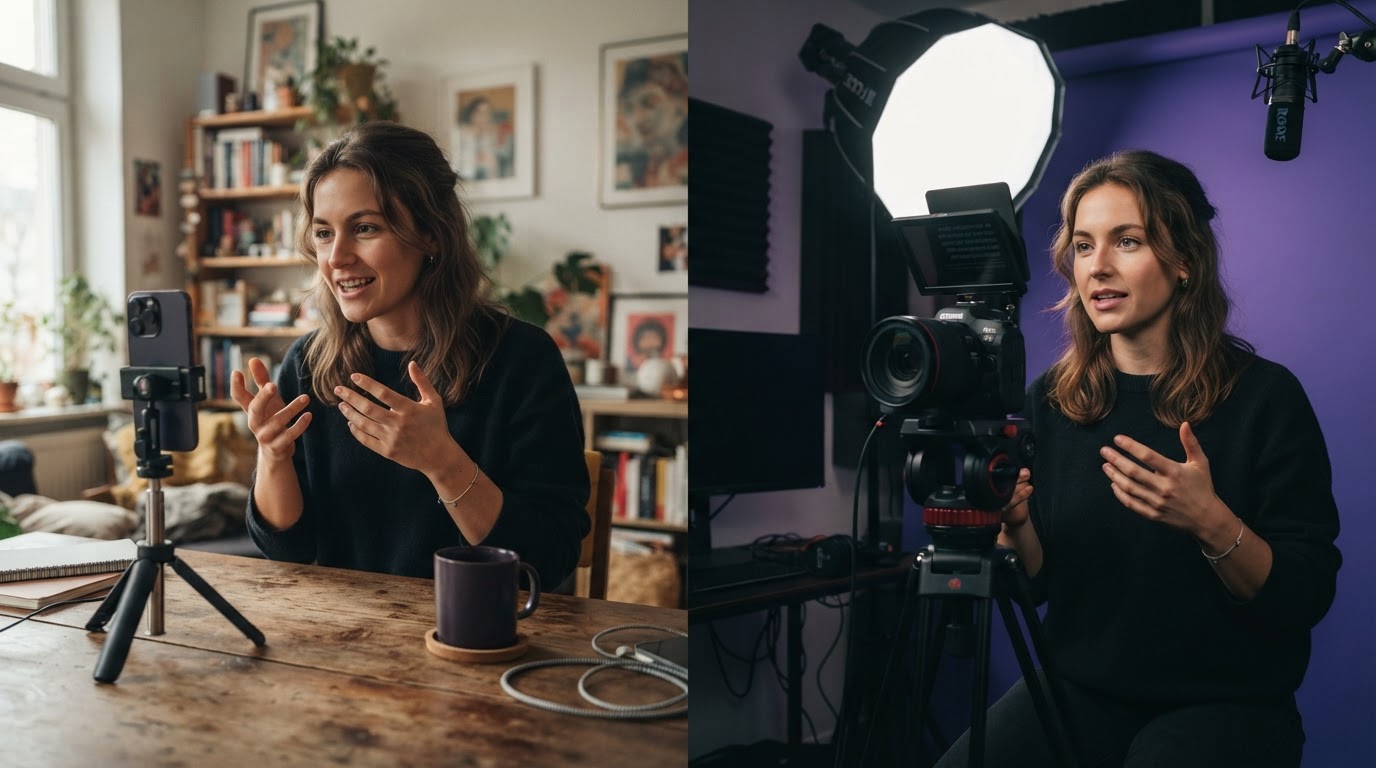
In the ad world, a UGC-style video is a short clip that looks and feels like something a real person recorded themselves, not a polished brand commercial. It has a real person talking to camera, reacting, demonstrating, or narrating. The production quality is intentionally casual. The delivery is direct. The framing is vertical.
The appeal is simple: people scroll past ads that look like ads. When a video looks like something a friend sent, viewers pause longer. That extra second of attention is what makes UGC ads outperform traditional creative on TikTok and Reels.
Short-form means the video is typically under 60 seconds. Most top-performing UGC ads on TikTok land between 15 and 30 seconds. The hook lands in the first two seconds. The product or result appears before the viewer has time to swipe.
If you want to understand the trade-offs of this format more deeply before committing, the pros and cons of short-form video are worth reading alongside this guide.
UGC vs. content creator: what actually differs
This question comes up constantly, and the distinction matters for how you plan your workflow.
A content creator produces content as a primary output. Their audience follows them, not the product. When a brand pays a content creator, they are renting access to that person's audience and creative voice.
UGC, in the ad context, is clip-first rather than creator-first. The person in the video does not need a following. Their job is to deliver a hook, show a reaction, or demonstrate a result. The ad platform finds the audience. The clip just has to stop the scroll.
The practical difference for workflow is this: when you hire a content creator, you are paying for their reach and reputation. When you source or create UGC clips, you are building a library of footage you can remix, test, and reuse. One gives you a one-off post. The other gives you an asset that can become dozens of ads.
For indie app builders running paid campaigns, UGC clips are more useful because they separate the hook from the product demo. You can test ten different hooks against the same demo without producing ten different videos from scratch.
The anatomy of a UGC ad that works
Before building a workflow, it helps to understand what you are actually trying to produce. Every short-form UGC ad has the same basic structure, even if the surface looks different.
Part 1: The hook (0 to 3 seconds)
The hook is the clip that earns attention. It is usually a UGC-style opener: a person reacting, a text overlay over a relatable moment, a bold claim, or a before/after setup. The hook does not pitch the product. It gives the viewer a reason to keep watching.
Part 2: The transition
This is the moment the ad moves from the attention-grabbing opener into the product. A cut, a wipe, or a simple audio cue signals the shift. In many high-performing ads, the transition is almost invisible. The hook flows directly into the demo without a jarring break.
Part 3: The product demo
This is the footage that shows what the product actually does. For app builders, this is usually a screen recording or a walkthrough. It does not need to be long. Ten to fifteen seconds is usually enough if the demo shows a clear result or benefit.
Part 4: The close (optional)
Some ads end with a text overlay, a CTA, or a final reaction. Others let the demo speak for itself. For short ads, a simple text overlay with a direct call to action is enough.
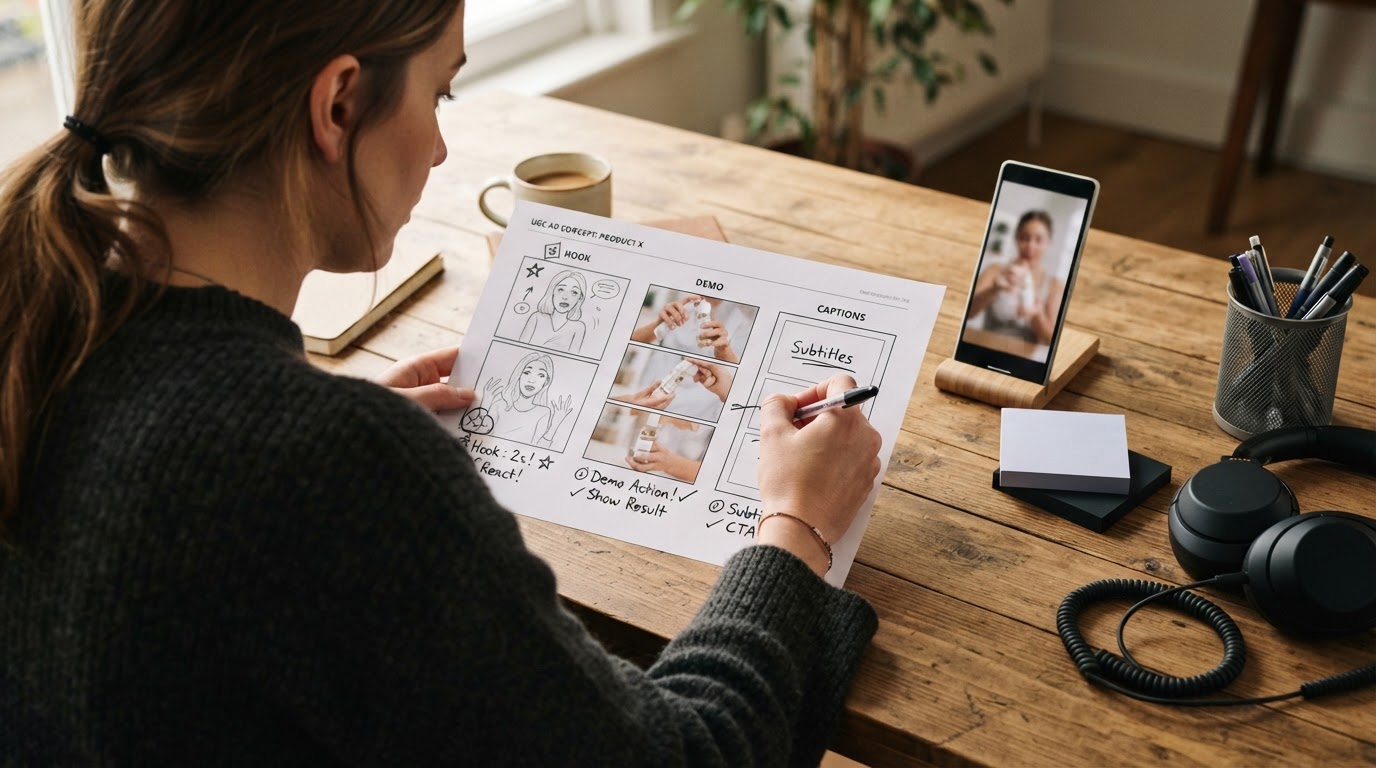
This hook-then-demo structure is the foundation of almost every UGC ad template you will find. The workflow exists to fill that structure reliably, not reinvent it every time.
A repeatable short-form video workflow template
Here is a practical template you can use whether you are managing this manually or with a tool. The goal is to remove the blank-start problem and make each new batch of ads feel like a continuation rather than a restart.
Step 1: Build and organize your clip library
Before you make a single ad, gather your raw material into one organized place. Separate it into two categories:
- Hook/UGC clips: reactions, testimonials, talking-head moments, before shots, anything that could open an ad.
- Product demos: screen recordings, app walkthroughs, results footage, anything that shows the product working.
If clips live in separate folders, drives, or cloud tools, consolidate them now. A fragmented library is the single biggest source of wasted time in UGC ad production. You spend 40 minutes looking for a clip you recorded two weeks ago when you should be reviewing finished drafts.
Tag or label clips by quality, hook type, or topic so you can find them quickly later.
Step 2: Score or review clips before building ads
Not every clip belongs in an ad. Before pairing hooks with demos, do a quick review pass. For each clip ask: does it grab attention in the first two seconds? Is the person or product easy to see? Does it move fast enough?
Cut the weak clips from your active set. This saves time downstream because you are not building ads around footage that will not perform.
Step 3: Pair hooks with demos in a structured batch
Take your reviewed hook clips and pair each one with your product demo. One demo, many hooks. This is the core of the UGC ad workflow and it is where most people lose time if they are doing it manually in a video editor.
In a manual workflow, this means dragging the hook clip into a timeline, adding the demo, adjusting the cut, adding text overlays, and exporting. Then repeating that process for every hook you want to test.
In a tool-assisted workflow, you select the demo once and let the tool pair it with each hook clip automatically, producing a batch of drafts you review rather than rebuild.
Step 4: Add text overlays and captions
Hook text is the overlay that appears on screen in the first two to three seconds. It reinforces the visual hook or introduces the claim. It should be short, direct, and readable at a glance.
Captions are the full subtitle track. On TikTok and Reels, many users watch without sound, so captions are not optional. Auto-caption tools are fine for drafts; review them for accuracy before posting.
Step 5: Review and score before posting
This is the step most people skip when they are in a hurry, and it is the step that prevents posting something embarrassing. Watch each draft from the beginning and check:
- Does the first two seconds earn a pause?
- Is the cut between hook and demo smooth?
- Does the demo show a clear result?
- Is the text legible on a phone screen?
A quick review pass on every draft, before anything goes live, catches the obvious problems. Check the short form video specs cheat sheet to make sure your exports meet platform requirements before upload.
Step 6: Save the structure as a template
Once you have a finished ad that you are happy with, save its structure: the hook type, the text style, the caption format, the trim points. Not the clips themselves, but the setup. This becomes your starting point for the next batch so you are not rebuilding from a blank timeline.
A saved template answers the question "how did I do this last time?" without having to dig through old exports or try to remember what worked.
Step 7: Post, track, and iterate
Post the finished ads, track performance, and use what you learn to inform the next batch. Which hooks drove the most engagement? Which demos led to installs or conversions? Did certain text styles outperform others?
This is where a short form campaign retrospective template becomes useful. A simple structured review after each campaign tells you what to repeat and what to drop.
Where most workflows break down
If you have tried to run this kind of workflow manually, you already know the places it falls apart.
The library problem: Clips are everywhere. Some are on your phone, some are in Google Drive, some are in Dropbox from that one shoot three months ago. When nothing is in one place, every session starts with a search instead of a decision.
The repetition problem: Building the same hook-then-demo structure in a video editor for the tenth time is genuinely soul-draining. The technical steps are simple but the repetition is what makes people put it off until next week.
The feedback loop problem: Most people post an ad and wait. They do not review drafts systematically before posting, so they only discover a bad opener after spending budget on it.
The restart problem: When it is time to make a new batch, most people start from scratch because there is no saved structure to return to. Every batch feels as heavy as the first one.
These are not creative problems. They are workflow problems. And they are exactly what a good workflow template, whether manual or tool-assisted, is designed to solve.
AI tools for UGC ad creation
The question "what AI creates UGC videos?" is one of the most common searches in this space right now, so it is worth answering directly.
Several tools can generate UGC-style video footage using AI avatars. The general approach is: you choose a persona or avatar, provide a script or scene direction, and the tool generates a short clip of that avatar delivering the content. The result looks like a person talking to camera.
These tools are genuinely useful when your clip library is thin and you do not have time or budget for another shoot. They are not a replacement for real footage when real footage performs better, but they are a practical way to fill gaps so you can keep testing.
Tools in this category include platforms built around AI avatars and script-to-video generation. If you want to see a hands-on walkthrough of one approach, this tutorial covers making viral AI UGC for TikTok ads:
And if you want to see how AI agents can be used to build a full UGC content system with templates, this walkthrough is worth watching:
The key thing to understand about AI-generated UGC is that it solves the footage scarcity problem, not the workflow problem. You still need a system for organizing, pairing, reviewing, and templating your ads. The AI clip is just one input into a larger process.
What to look for in a workflow tool
When evaluating any tool for UGC ad creation and short-form video workflow, there are a few things that actually matter versus things that sound useful but rarely save time in practice.
Centralized library: The tool should keep all your clips, demos, drafts, and finished ads in one place. If you are still moving files between apps or drives, the tool has not solved the core problem.
Batch production: The ability to produce multiple hook-and-demo pairings in one session, rather than one at a time, is what separates a tool from a timeline editor. Batch production is what makes it realistic to test ten hooks against one demo without losing a full day.
Review before posting: A tool that only produces output without helping you evaluate it is half a solution. Clip scores, quality checks, and draft review workflows are what prevent bad ads from going live.
Template saving: The tool should remember the structure of your best ads so the next batch inherits that setup rather than starting from nothing.
Gap-filling for thin libraries: When you do not have enough real footage, a tool that can generate synthetic UGC clips using avatars keeps you moving instead of waiting on another shoot.
Carousel support: Not every post should be a video. When slides tell the story better, you should be able to produce carousel posts from the same workflow without switching tools.
ClipStitchr is built around exactly this workflow for indie app builders and mobile marketers. You upload Hook/UGC clips and a product demo once. The tool pairs them and produces vertical ads for review. A built-in library keeps everything organized. Clip and Stitch scores flag weak openers, slow pacing, and unclear moments before anything goes live. Templates save the structure from finished ads so the next batch starts from a real baseline. When the clip library is thin, Clipr and Swapr generate new hook footage using avatar photos. For posts that should be slides instead of video, Swipr handles carousel production in the same workflow.
If you want to see what other builders have tried and how they think about their options, the UGC ad creation and short-form video workflow alternatives discussion is a useful reference.
Comparing your options
The main approaches to UGC ad creation fall into four broad categories. Here is an honest look at each.
Manual video editing (Premiere, CapCut, DaVinci)
When it works: If you have editing experience, a small number of ads to produce, and time to spare, manual editing gives you complete control.
Where it fails: It does not scale. Every new hook means rebuilding the timeline. There is no built-in scoring, no template system, and no clip library. It is the most flexible option and the most time-consuming for repeat production.
Hiring UGC creators
When it works: If you have budget and need authentic human footage that AI cannot replicate, real creators produce clips that genuinely feel native to the platform. Sites like DansUGC maintain libraries of real-human UGC ads that have gone viral, which can be a useful reference for what good looks like.
Where it fails: Cost and turnaround time. Getting five to ten hook variations from a creator takes days and costs real money. If the hooks do not perform, you pay again for revisions. It is hard to iterate quickly.
AI avatar platforms (script-to-video tools)
When it works: When you need volume and speed and your audience does not require the authenticity of a real person. AI-generated hooks can be produced in minutes and are cost-effective for testing.
Where it fails: Quality varies. The clips can feel synthetic, and audiences are getting better at spotting them. They also do not solve the workflow problem: you still need to edit the clip into a full ad, organize your library, and review before posting.
Workflow-focused tools (like ClipStitchr)
When it works: When the bottleneck is not the clips themselves but the repetitive process of turning clips into finished ads. Workflow tools are designed for volume: batch production, organized libraries, built-in scoring, and template reuse.
Where it works best: Indie builders and mobile marketers who have some footage and need to produce ten to thirty ad variants per month without a full production team. The workflow is the product, not just the output.
For builders who also post carousel content, the combination of video ads and slide posts from the same tool is worth considering. More on that in this guide to growing a mobile app with slideshow content.
UGC style video content: what the term actually means
"UGC style" is worth defining clearly because it gets used loosely. It does not just mean low-quality. It means video that adopts the visual and tonal conventions of content real users post, rather than polished brand advertising.
Characteristics of UGC style content include:
- Vertical framing (9:16)
- Natural lighting or simple ring-light setups
- Direct-to-camera delivery, not scripted performance
- Text overlays that match native platform fonts and styles
- Minimal editing: cuts, not transitions
- A conversational tone, not brand-speak
The reason UGC style content works in ads is that it reduces the mental distance between "I am watching an ad" and "I am watching something a real person posted." That distance is what makes people swipe. When the ad looks native, they pause.
This is also why the hook structure matters so much. The first two seconds have to feel like something a real person would open with, not a brand announcement. The product demo that follows is the payoff for that attention.
A simple recommendation for indie builders

If you are an indie app builder or mobile marketer trying to build a reliable UGC ad workflow, here is the honest recommendation.
Start with what you have. One product demo and three to five hook clips is enough to produce your first batch of ads. Do not wait until the library is perfect.
Set up your library before you start producing. Organize clips into hooks and demos. Name them clearly. If you are using a tool, let it handle normalization and organization so you are not redoing that work every session.
Use the hook-then-demo structure for every ad until you have data that tells you something else works better. It is not the only structure, but it is the most proven starting point for short-form app ads.
Save every structure that produces a good result. The template is what makes the second batch faster than the first. Without it, you are always starting over.
Review before you post. Watch the first three seconds of every draft. If the opener does not earn the viewer's attention, do not post it. A quick score or review pass is cheaper than wasted ad spend.
Track what works and use it to inform the next batch. A structured retrospective after each campaign, even a short one, gives you something real to build from instead of guessing.
If your clip library is thin, use AI tools to fill gaps rather than waiting on another shoot. Generated hooks using avatars are good enough to test whether a hook concept works before you invest in filming a real version.
If you are looking for a tool that handles the workflow rather than just the editing, ClipStitchr is built for exactly this use case. It is designed for builders who need to ship regular ad batches without making video production the thing that eats every Tuesday.
The 14-day free trial requires no credit card, so testing it against your current workflow costs only the time it takes to upload a few clips.
If you are still deciding on your approach or want to see how other indie builders are handling this, the UGC ad creation and short-form video workflow alternatives discussion is a good next read.