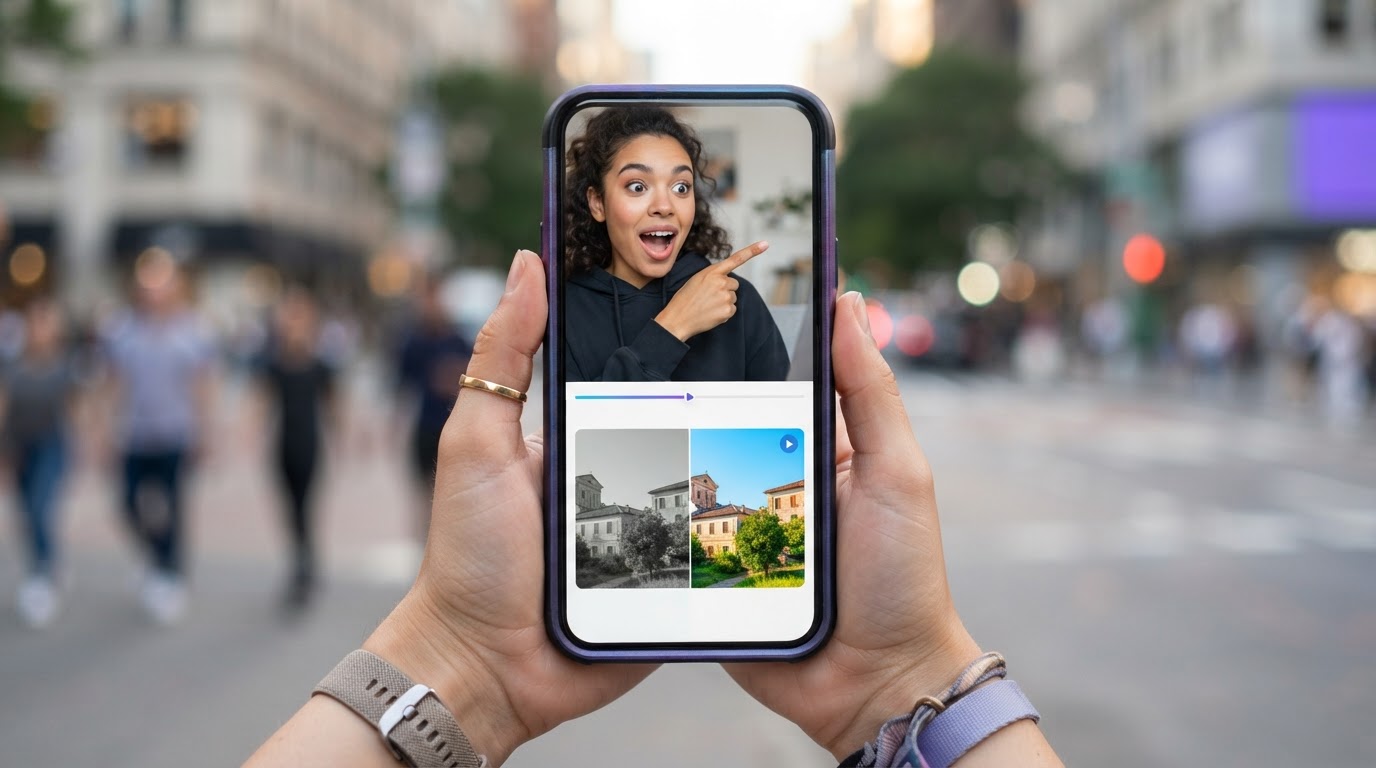
If you have ever watched a TikTok ad all the way through without meaning to, you probably just experienced the hook and demo format at its best. It is one of the most widely used structures in short-form video advertising, and once you know what it is, you will start spotting it everywhere.
The basic idea is simple: grab attention in the first few seconds (the hook), then show the product doing its job (the demo). Those two parts, played in the right order, form a complete ad that feeds the algorithm and gives viewers a reason to keep watching.
This guide explains what the format is, why it works, how to build a strong hook, and how to put both pieces together without spending hours on a timeline.
Table of Contents

- What the hook and demo format actually is
- What makes a hook a hook
- The 7 types of hooks used in short-form video
- The 3 hook strategy
- What a product demo looks like in this format
- How hook and demo compares to other ad structures
- Common mistakes that kill the format
- How to produce hook and demo ads without rebuilding everything from scratch
What the hook and demo format actually is
The hook and demo format is a two-part video ad structure. The first part, the hook, earns the viewer's attention. The second part, the demo, uses that attention to show what the product actually does.
In practice, a finished ad might look like this: a person on screen looking surprised or pointing at something unexpected (hook), followed by a clean walkthrough of an app or product feature that explains the surprise (demo).
The whole thing runs between 15 and 45 seconds on most platforms. TikTok and Reels reward videos that hold attention past the first three seconds, so the hook carries enormous weight. A weak opener means most viewers never reach the demo.
This format is popular for app advertising, e-commerce, and mobile products because it mirrors the way people actually use these platforms. They are scrolling fast, not paying attention, and the hook has to break that pattern before the demo can do any selling.
What makes a hook a hook

A hook is anything that makes someone stop scrolling. That sounds simple, but it is harder than it looks in practice.
The most effective hooks do one of a few things:
- Create a gap in knowledge. "Most people get this completely wrong..." makes the viewer want to know what the right answer is.
- Make an unexpected claim. A bold statement that contradicts what someone believes forces attention.
- Start mid-action. Beginning a video with something already happening, rather than an intro, signals that time will not be wasted.
- Show a relatable problem. If someone sees their own frustration reflected in the first two seconds, they stay to find out if there is a solution.
- Use a strong visual. An unusual image, a reaction face, or a dramatic result can stop a scroll without any words at all.
The hook is not the same as an introduction. An introduction says "Hi, I want to talk to you about my app today." A hook drops you into something happening, without preamble, without warmup.
For short-form video ads, the hook typically runs between two and five seconds. Every frame counts. A pause before the point lands is usually the difference between a viewer who stays and one who swipes away.
The 7 types of hooks used in short-form video
People often ask what kinds of hooks exist. Here are seven that show up consistently in high-performing TikTok and Reels ads.
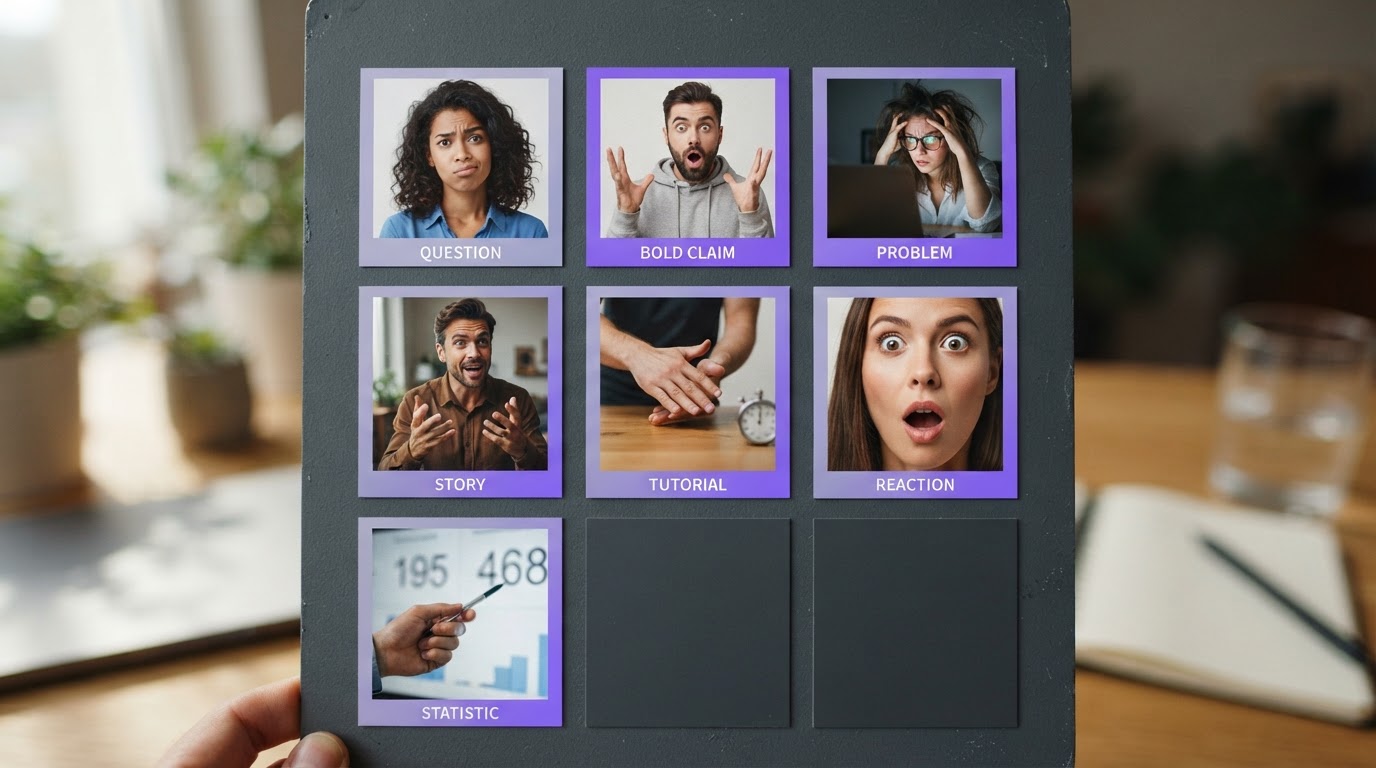
1. The question hook Asks something the viewer has probably wondered. "Why do some people never seem to lose weight no matter what they try?" puts an open question in the viewer's mind that they want answered.
2. The bold claim hook States something surprising or controversial. "This app replaced my personal trainer" is the kind of claim that makes people curious enough to keep watching, even if they are skeptical.
3. The problem hook Leads with a frustration that the target viewer recognizes. "I was wasting two hours a day on this until I found out about X" works because it mirrors a real experience.
4. The story hook Opens mid-story. "Last month I was about to quit when something strange happened" signals narrative tension and makes the viewer want the resolution.
5. The tutorial hook Promises a specific, fast result. "Here is the three-step method that cut my editing time in half" is a clear value proposition delivered before any selling starts.
6. The reaction hook Uses a genuine or performed reaction, usually a facial expression, to create curiosity about what is being reacted to. Silent reaction clips are especially effective because they pull the viewer forward without relying on audio.
7. The statistic or proof hook Opens with a number or result. "4,000 people used this in 30 days" immediately suggests social proof and curiosity about what the product is.
Each type has a different fit depending on the product, the audience, and where the viewer is in their awareness of the problem. A viewer who has never heard of your app responds best to a problem or story hook. A viewer who already knows the category responds faster to a bold claim or proof hook.
The 3 hook strategy
One thing that separates successful short-form advertisers from ones who burn out is how they treat hooks: not as a single lucky opener, but as a system.
The 3 hook strategy means creating at least three distinct hook variations for every product demo. Each hook addresses the same product but approaches the attention problem differently. One might be a question. One might be a reaction clip. One might be a bold claim with overlay text.
The reason this works is simple. No single hook resonates with every viewer. The algorithm serves your ad to a wide range of people with different motivations, scroll habits, and levels of familiarity with your product. Three hooks against one demo gives you three chances to find what resonates, without tripling the effort on the demo side.
When one hook clearly outperforms the others, it tells you something about the audience. Which problem framing landed. Which type of opener earns attention. That information is more useful than the ad itself, because it shapes the next batch.
What a product demo looks like in this format
The demo is the second half of the format, and it has a different job from the hook. The hook earns attention. The demo uses that attention to show the product working.
A strong demo in a short-form ad is not a feature list. It is a visual answer to the question the hook just raised.
If the hook was "I wasted months tracking my fitness the wrong way," the demo should show the app doing it correctly, clearly, and fast. The viewer is already curious. They do not need convincing that a problem exists. They need to see the solution do its job.
What makes a demo work in this format:
- It is short. Usually 10 to 25 seconds. Long enough to show the product clearly, short enough to leave the viewer wanting more.
- It shows the product, not features. Viewers want to see outcomes. Showing the result is more convincing than listing what the product does.
- It picks up the pace from the hook. If the hook was energetic, the demo should not slow down into a slow product walkthrough.
- It has a clear moment. There should be one obvious thing the viewer takes away. Not six features, one clear result.
Recording a demo worth using is its own challenge. For practical guidance on capturing product footage that actually holds attention, this guide on how to record a product demo covers the approach in detail.
How hook and demo compares to other ad structures
There are a few common frameworks used for short-form video ads. Understanding where hook and demo fits helps in choosing the right one for each situation.
Hook, Body, CTA This is the full three-part version. Hook grabs attention, body explains or demonstrates, and a call-to-action tells the viewer what to do next. It works well when the product needs a little more explanation before the viewer is ready to act. The demo in the hook-and-demo format is essentially a compressed version of the body and CTA combined.
Problem, Agitate, Solve A copywriting structure borrowed from longer-form content. It spends more time on the pain before showing the solution. Works well in longer ads (60 seconds and above) but can feel slow in a 15-second TikTok. The hook-and-demo format is a faster version of this: the hook implies the problem, and the demo implies the solution.
Testimonial format A person speaks directly to camera about results. This is technically a hook-and-demo format too, just with the hook being a personal story and the demo being a verbal or visual description of the product. The testimonial format works well when social proof is the main selling mechanism.
Pure demo Some ads skip a dedicated hook and go straight into the product. This works best when the demo itself is visually arresting enough to stop a scroll on its own. A satisfying before-and-after, an impressive result, or an unusual visual can act as a hook without any separate clip.
For most indie app builders running paid ads on TikTok and Reels, the hook-and-demo format is the most reliable starting point. It is structured enough to produce consistently, flexible enough to test variations, and short enough to keep production manageable.
Short-form video has real tradeoffs worth understanding. This post on the pros and cons of short form video covers what works and what tends to go wrong.
Common mistakes that kill the format
Knowing the format is not enough. These are the mistakes that make hook-and-demo ads fail even when the structure is technically correct.
Starting with a logo or intro card Nothing clears a feed faster than an opening logo animation. The algorithm and the viewer are both gone before the hook starts. Jump straight into the hook.
A hook that does not connect to the demo If the hook is "this one change saved me 3 hours a week" and the demo is a product that does something completely unrelated, the viewer feels tricked. The connection between hook and demo needs to be obvious and honest.
A demo that moves too slowly Short-form viewers have a strong sense of pace. A demo that lingers on setup, loads slowly, or spends time explaining context instead of showing the product will lose people in the same place every time. Clip scores, which tools like ClipStitchr provide, can flag slow pacing before an ad goes live.
Overlay text that sounds fake Most people can tell the difference between a line someone actually said and one that came from a template generator. "This product changed my life forever!" does not stop scrolls. Specific, slightly imperfect, relatable language does.
Using the same hook for every audience A hook that works for someone already aware of the problem will confuse someone who has never thought about it. Testing multiple hooks against the same demo is not optional, it is the whole game.
Not checking the finished ad before posting Running an ad that has a pacing problem, an unclear demo moment, or a weak opener wastes budget and time. Reviewing the full stitch before it goes live, ideally with some kind of scoring or feedback mechanism, is worth the extra few minutes.
How to produce hook and demo ads without rebuilding everything from scratch
The format makes conceptual sense. The production reality is where most indie builders hit a wall.
The typical workflow looks like this: find a hook clip, find or record a demo, put them together in a video editor, add text, adjust timing, export, repeat. By the third or fourth ad, the process feels heavy enough that the next batch gets pushed to next week.
The part that kills momentum is not creativity, it is the repetitive production work. The same structure, rebuilt every time. The same demo dragged in again. The same text settings adjusted by hand.
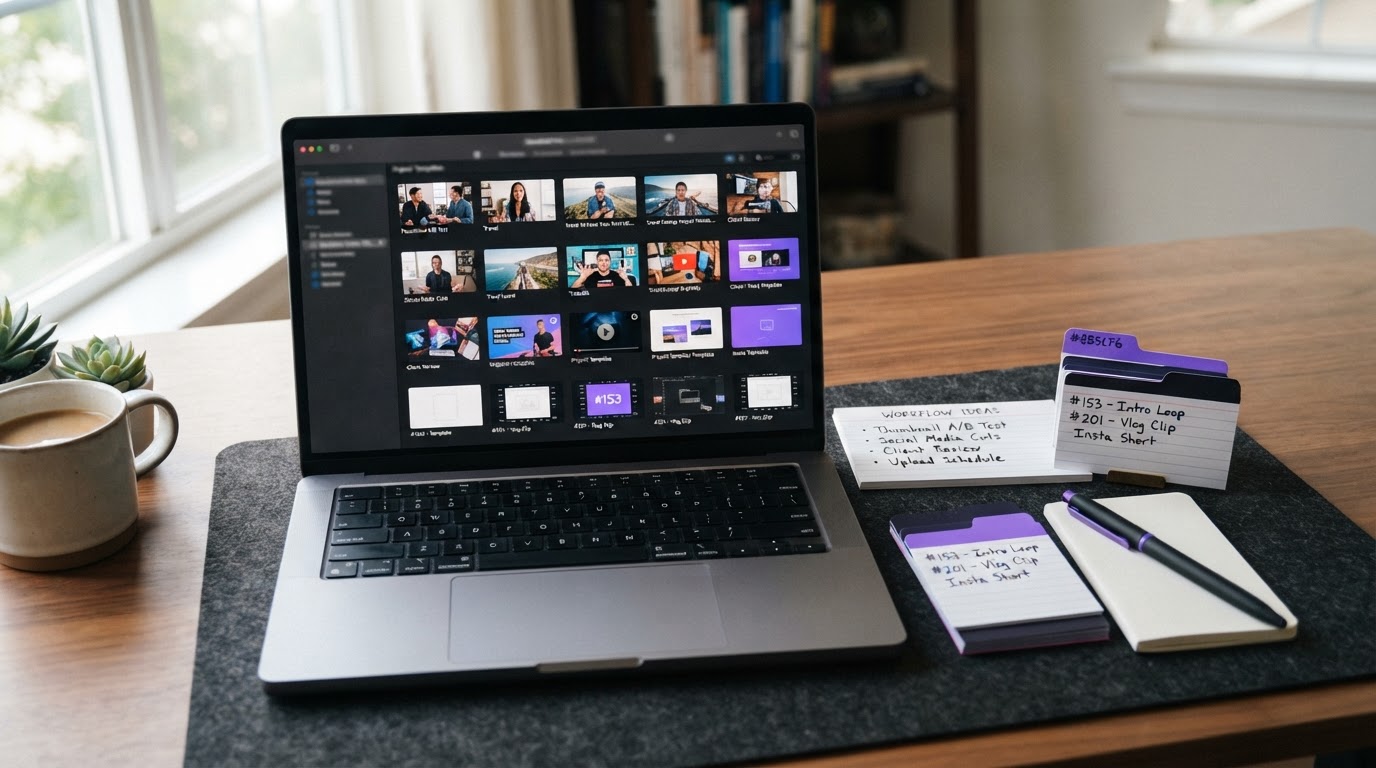
Keeping clips organized Before anything else, clips need to be findable. A folder of unnamed mp4 files labeled "take4final_FINAL" is not a clip library. A usable clip library has the clips tagged, trimmed, and ready to pair. When clips are organized, building a new ad takes minutes rather than starting from scratch.
Pairing hooks with the same demo One product demo can support many different hook clips. The demo does not change. Only the hook changes. A workflow that lets someone pair multiple hooks against one demo, and produce several finished ads in one session, is far more efficient than rebuilding each ad individually.
Saving templates for what works When a hook-and-demo structure performs well, the underlying setup (the trim points, the text style, the caption format) is worth saving. Templates mean the next batch starts from what worked, not from zero.
Scoring before posting A clip that looks fine in isolation can underperform in a finished ad because of pacing issues, a weak opener, or a poor transition between hook and demo. Checking the finished stitch before it goes live is a low-effort way to catch obvious problems early.
ClipStitchr is built specifically for this workflow. It lets indie app builders and mobile marketers upload hook clips and a product demo once, then automatically pairs them and produces finished vertical ads ready to review. The clip library keeps everything organized in one place, Clip and Stitch scores flag weak openers and slow pacing before anything goes live, and templates save the structure from ads that worked so the next batch does not start empty.
For real examples of how this plays out in practice, the fitness app growth case study shows how consistent hook-and-demo production contributed to app growth without a full production team.
When the hook library is thin
One underrated problem with the hook-and-demo format is simply not having enough hook footage. Recording a demo is usually a one-time task. Hooks are the variable. A good test requires three or more hooks per demo, and over time the library needs fresh material.
There are a few ways to fill the gap without scheduling another shoot every week.
Reaction clips and b-roll work well as hooks because they create visual curiosity without any dialogue. Silent facial reactions, quick environment shots, and before-and-after visuals all function as hooks when paired with a strong overlay text line.
Tools like Clipr (inside ClipStitchr) let builders generate short reaction and b-roll clips using avatar photos, then save them directly into the hook library for use in new stitches. This is not about replacing real footage. It is about having enough material to keep testing without grinding to a halt.
For teams working across multiple platforms, carousel posts sometimes serve the audience better than another video. When that is the case, a tool like Swipr can produce vertical slide posts without requiring a separate design workflow.
A simple recommendation
The hook and demo format is worth learning because it is the most repeatable structure for short-form ads. It is short enough to produce quickly, structured enough to test systematically, and flexible enough to work for almost any product.
The practical path for most builders looks like this:
- Record one clean product demo and save it.
- Gather or create three distinct hook clips using different hook types (question, reaction, bold claim).
- Pair each hook with the demo to produce three finished ads.
- Review each one for pacing and clarity before posting.
- Look at which hook performed and use that information to shape the next batch.
That five-step loop, done consistently, produces more useful data and better ads than trying to find the perfect single ad.
For platforms beyond TikTok, it is worth knowing what the options are. This post on TikTok alternatives for small business marketing covers where else the hook-and-demo format travels well.
And if the goal is getting early traction on TikTok specifically, this guide on how to get 1000 views on TikTok fast covers the organic side of what makes short-form content spread.
The short version
The hook and demo format works because it matches how people actually watch short-form video. No patience for warmup. Attention earned in the first three seconds. Product shown clearly and quickly.
The format is simple. The execution is the hard part, and the hard part is mostly a production and organization problem. A good hook library, one clean demo, a system for pairing them, and scores to catch weak spots before posting: that is the whole workflow.
ClipStitchr exists to make that workflow fast enough to use every week, not just when there is a full day to spare. If the repetitive parts of building hook-and-demo ads are what keep new batches from happening, it is worth seeing how the tool handles it.