
UGC videos perform well because they feel like something a real person made, not something a brand produced. The problem is that sourcing real creators, waiting on deliverables, and editing raw clips into finished ads takes time most marketing teams do not have.
AI changes that equation. It is now possible to create UGC-style video ads without hiring a creator, booking a shoot, or opening a traditional video editor. The result is not always identical to footage from a real person, but for short-form ads on TikTok, Instagram Reels, and YouTube Shorts, it is often close enough to test, learn, and scale.
This guide covers what UGC video actually is, how AI fits into the creation process, what tools exist, and the practical steps to go from no footage to a finished ad.
Table of Contents

- What is a UGC video?
- UGC vs. content creator: what is the difference?
- What is AI UGC?
- What AI tools create UGC videos?
- How to create UGC videos with AI: the full workflow
- How to fill your library when you have no footage
- How to score and pick the right clips
- How to stitch clips into finished ads
- How to scale without starting over every time
- Common mistakes to avoid
- Which approach is right for you?
What is a UGC video?
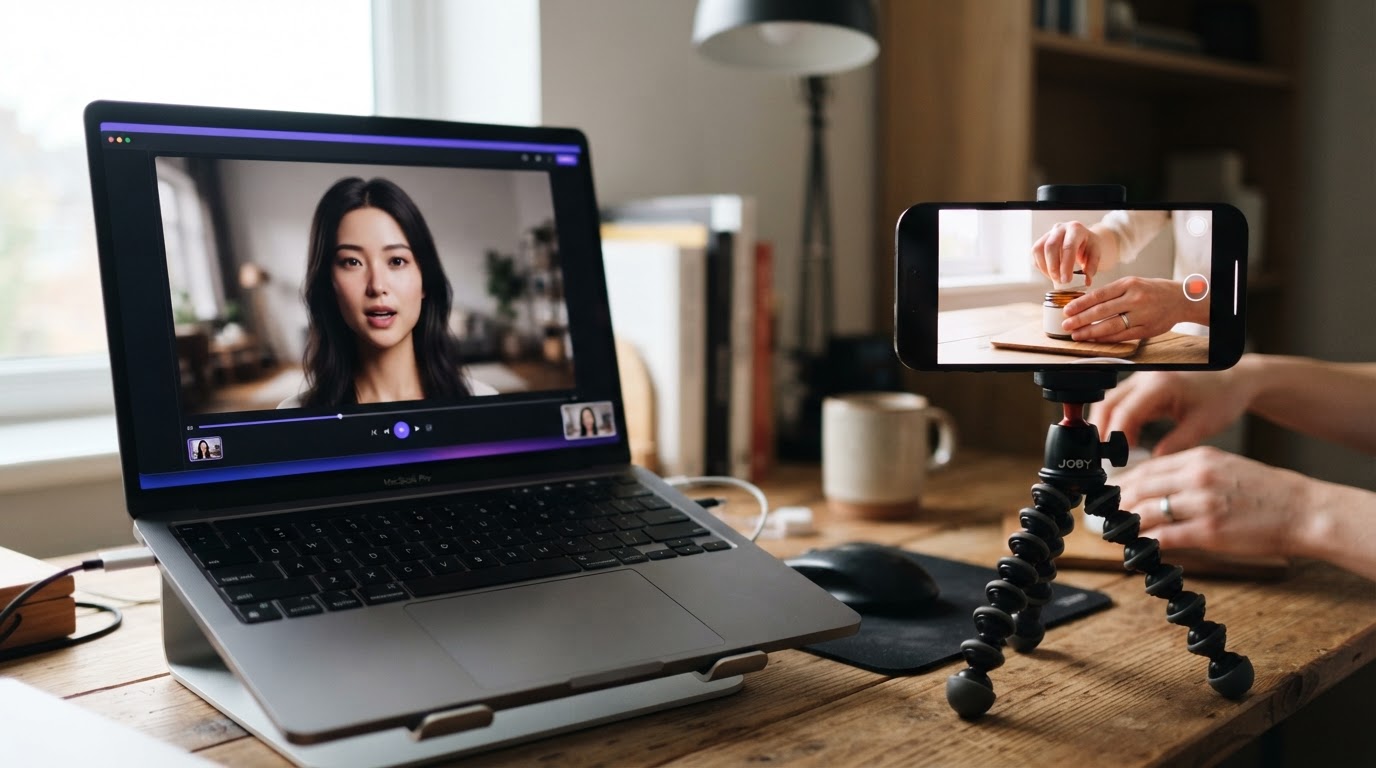
UGC stands for user-generated content. In the context of paid social ads, a UGC video is a short clip that looks like it was made by a regular person, not a brand. Think of someone talking to their phone camera from their bedroom, showing a product they just tried, or reacting to something that surprised them.
The format matters because it blends into a feed. When someone scrolls TikTok or Instagram Reels, a polished brand video stands out as an ad. A raw-looking clip from a person feels like organic content. That difference in perception affects whether someone stops scrolling or keeps moving.
UGC-style ads typically follow a simple structure:
- A hook in the first one to two seconds that earns attention
- A quick moment of relatability or curiosity
- A product demo or proof that shows what changes
- A soft close or caption that carries the call to action
That structure is short, usually under 60 seconds, and vertical because it is built for mobile feeds. If you want a deeper look at the format and why it works, the TikTok UGC ultimate guide for brands covers the mechanics in detail.
UGC vs. content creator: what is the difference?

This is a question that comes up often, and the line has blurred significantly in 2025 and 2026.
Traditionally, UGC meant content that real customers created on their own, without being paid. Someone bought a product, loved it, posted about it, and a brand repurposed that content. The brand did not direct the shoot. They just found the clip.
A content creator, by contrast, is someone hired to produce video on a brand's behalf. They might be a professional filmmaker, a social media influencer, or a UGC creator, which is the newer category of freelancer who specifically shoots ad-style footage from a personal point of view.
Today, the term UGC video in a marketing context almost always means the second thing. It is creator-produced content that is designed to look like organic UGC. The goal is not authenticity in the philosophical sense. It is authenticity in the visual and tonal sense. The video should feel like something a real person made because that format earns more attention than traditional brand creative.
When AI enters the picture, it adds a third category: AI-generated UGC. This is video content created entirely or partly by AI tools, without a real human on camera.
What is AI UGC?

AI UGC is UGC-style video content generated using artificial intelligence. Instead of hiring a creator to film a reaction or a testimonial, a marketer uses an AI tool to generate a clip that looks like someone filmed it on their phone.
The tools involved vary. Some generate a talking head video where an AI avatar speaks a script. Others generate short reaction clips or b-roll footage. Some tools specialize in assembling existing footage into finished ad formats rather than generating new video from scratch.
The important thing to understand is that AI UGC covers a range of approaches, and most real-world workflows combine AI generation with real footage. A finished ad might use one real product demo clip paired with an AI-generated opener. Or it might use real footage scored and selected by AI to identify which clips are worth testing.
For a broader look at what tools do this and how they compare, the AI that creates UGC videos post covers the major options.
What AI tools create UGC videos?
Several categories of tools exist, each with a different approach.
AI avatar video generators create talking head clips where a virtual person delivers a script. The avatar looks like a real person, moves naturally, and can be customized with different looks. These work well for scripted openers and testimonials.
AI clip assemblers take existing footage and help you build finished ad variants by combining clips in a structured way. These tools do not generate video from scratch. Instead, they speed up the assembly process and remove the need for a timeline editor.
AI scoring tools analyze a clip and tell you whether it is worth using before you spend time editing it. They look at things like the hook, pacing, clarity, and how well the clip fits short-form formats.
AI carousel creators generate static slide posts from a product description, which is useful when video is not the right format for a campaign.
The tools that tend to work best in practice are the ones that fit into a real workflow rather than requiring a brand new one. If the tool forces you to learn a complex interface just to output a single clip, the time savings disappear quickly.
Below is a short video walkthrough that shows a complete AI UGC ad workflow from start to finish:
How to create UGC videos with AI: the full workflow
Here is the full process from start to finish, broken into stages that apply whether someone is using a dedicated tool or assembling their own stack.
Stage 1: Define the ad structure
Before touching any tool, decide what structure the ad should follow. The most common format for short-form UGC ads is:
- Hook (0 to 2 seconds): a face, a surprising statement, or a quick action
- Problem or curiosity (2 to 10 seconds): something the viewer relates to
- Product demo (10 to 30 seconds): what the product does and why it matters
- Close (last 5 seconds): a soft CTA, a result, or a caption
Every clip created or selected should fill one of these roles. Knowing that before starting saves a lot of time when assembling the final ad.
Stage 2: Build a clip library
The raw material for any UGC ad is a library of clips. That library should include:
- UGC openers: reactions, talking head clips, relatable moments
- Product demos: clear footage of the product working, a result, or an experience
- Avatar photos: if using AI generation tools, saved avatar references speed up the process significantly
If real footage exists, upload it. If not, use AI generation to fill the gaps.
Stage 3: Generate or source UGC openers
This is where AI tools are most useful. If there is no real UGC on hand, tools like Clipr (inside ClipStitchr) can generate short reaction and b-roll clips using a saved avatar. These are not scripted talking heads. They are short silent clips that work as visual openers before a product demo.
For scripted talking head content, AI avatar tools can turn a short script into a clip that looks like someone filmed themselves talking. The quality varies by tool, but for testing hooks, it is often good enough to see whether an angle resonates.
Stage 4: Score clips before using them
Not every clip is worth testing. Scoring tools analyze a clip and return a read on whether it is likely to hold attention. The score looks at the hook quality, on-camera clarity, pacing, and how well the clip fits the short-form format.
Using scores before building a batch of ads means the time spent assembling ads goes toward clips that are actually worth testing. This is one of the most underused parts of an AI-assisted workflow.
Stage 5: Stitch clips into finished ads
Once the library has strong clips, the assembly step is straightforward. Pair a UGC opener with a product demo, add a text hook if the batch needs one, and export the finished vertical video.
In a tool like ClipStitchr, this process is called Stitching. One product demo can be paired with up to 20 different UGC openers at once, creating a batch of ad variants in seconds instead of hours.
Stage 6: Score finished ads before posting
After assembly, scoring the finished ad as a whole (not just the individual clips) gives a second read. This time the score looks at how well the hook flows into the demo, where viewers might drop off, and what text changes could improve retention.
Stage 7: Save templates and reuse
Once an ad structure works, save it as a template. A template preserves the clip sequence, text style, timing, and caption structure so the next batch starts from a working foundation rather than a blank screen.
How to fill your library when you have no footage
Starting from zero is the most common problem. The product is real, but there are no creator clips, no UGC testimonials, and no budget for a shoot this week.
Here are the practical options:
Generate reaction clips with AI. Tools like Clipr create short silent reaction clips tied to a saved avatar. These work as openers when paired with a real product demo.
Use Swapr to remix existing footage. Swapr takes a saved avatar photo and an existing UGC clip and generates a new version where the avatar appears in the footage. The result is fresh source material built from what already exists in the library.
Source a real product demo. A product demo does not require a professional shoot. Screen recordings, unboxing clips, or a simple phone video showing the product in use are enough. The demo just needs to show what the product does clearly and quickly.
Buy or license real UGC. If the goal is to blend AI generation with real footage, libraries of real human UGC ads exist. DansUGC is one option for finding real-human UGC ad footage to use as source material or inspiration.
Use carousels when video is not ready. If the clip library is thin, carousel posts made with Swipr can keep content moving while the video library builds. Each carousel slide is a vertical image with text, and the whole post can be created from a product description.
How to score and pick the right clips
Clip scoring is one of the biggest time savers in an AI-assisted UGC workflow, and most marketers skip it.
The typical process is to upload clips and immediately start building ads. The problem is that some of those clips have weak hooks, slow pacing, or visual clarity issues that will hurt performance. Spending an hour building an ad around a clip that scores poorly is wasted work.
A scoring tool looks at each clip and returns notes like:
- Hook quality: does the first second give someone a reason to keep watching?
- On-camera clarity: is the face, product, or action easy to see?
- Pacing: does the clip move fast enough for short-form feeds?
- Stitch fit: will this clip pair cleanly with a product demo?
In ClipStitchr, clip scores appear on each clip card in the library. A score of 84 might come back with a note like "Strong opener, quick trim needed. Cut the pause before the demo and try a shorter first line." That kind of actionable feedback tells a marketer exactly what to fix before building the ad, rather than guessing after the ad underperforms.
The same scoring logic applies to finished stitches. Before downloading and posting a finished ad, running a stitch score gives a read on where viewers might drop off, what text changes could help, and whether the hook earns the demo cleanly.
How to stitch clips into finished ads
The assembly step is where the work becomes visible. Here is what a practical stitching session looks like:
Step 1: Open the library and review scores. Look at clip scores to identify the openers and demos most worth testing. Prioritize clips marked as worth using or good with a trim.
Step 2: Select UGC openers and one product demo. In a tool like Stitchr, a marketer can choose up to 20 UGC clips and one demo. Each UGC clip will be paired with the same demo, creating one finished ad per opener.
Step 3: Trim dead space. Remove pauses at the start or end of clips. Slow intros are one of the most common reasons viewers drop off in the first few seconds. The trimming step does not need to be precise frame-by-frame editing, just removing obvious dead time.
Step 4: Add a text hook. A single line of text at the start of the video reinforces the hook for viewers watching without sound, which is a significant portion of social media traffic. Different text can be applied to each UGC opener in the batch, or the same text can be copied across all of them.
Step 5: Preview each ad. Watch the full stitch before exporting. This is the step most people rush, but catching a bad cut or an off-timing text overlay at this stage is much easier than reuploading after posting.
Step 6: Export and save. Finished ads save to the library under Stitches. The original UGC and demo clips stay unchanged and can be used in future batches.
Here is another full workflow video that covers the AI UGC creation process with practical examples:
How to scale without starting over every time
The hidden cost in UGC ad production is not making one ad. It is making the twentieth ad. By then, most teams are rebuilding the same structure from scratch every time, hunting through folders for the right clips, and re-entering the same text and caption copy.
Templates solve this. Once a Stitch has a structure that works, saving it as a template preserves the clip sequence, trims, text style, timing, and caption. The next batch starts from that saved setup. A marketer loads the template, swaps in new UGC clips, previews the result, and exports. The parts that are already working stay in place.
Automation takes this further. ClipStitchr can prepare daily drafts using the tools a marketer chooses. Those drafts arrive ready to review before anything goes live. The marketer reviews, edits if needed, and posts only the versions that feel right. Nothing is published automatically without review.
For teams running ads at volume, this combination of templates and automation is what makes the process feel manageable rather than exhausting. The fitness app growth case study shows how this kind of workflow plays out in practice for a brand running UGC ads consistently.
Common mistakes to avoid
Skipping clip scoring. Uploading clips and immediately building ads without checking scores wastes time on footage that would not hold attention anyway. Score first, build second.
Making one ad at a time. UGC ads work because volume allows testing. One ad teaches almost nothing. A batch of ten different openers with the same demo tells a marketer which hooks actually land. Building one ad at a time is the slowest path to useful data.
Ignoring the first two seconds. Most viewer drop-off on short-form video happens in the first two seconds. If the hook does not grab attention immediately, the rest of the ad does not matter. Every clip selection and every trim decision should ask whether the first two seconds earn the next ten.
Using AI generation for everything. AI-generated clips are useful for filling gaps in a library, not for replacing every piece of footage. Real product demos still outperform generated ones in most cases. The best workflow blends real and AI-generated material rather than relying entirely on one or the other. For a clear comparison of the tradeoffs, the AI UGC vs. real UGC post covers the topic well.
Not saving templates. Every time a marketer rebuilds the same ad structure from memory, they are losing time. If a format works, saving it as a template costs nothing and saves significant time on the next batch.
Posting without previewing. A quick preview before export catches timing issues, misaligned text, and awkward cuts. Catching these before posting is much easier than catching them after a post underperforms.
Which approach is right for you?
The honest answer is that it depends on what a team already has.
If the library already has real UGC and product demo footage, the priority is assembly and testing. A tool like ClipStitchr handles this well. Upload the footage once, score the clips, build batches, save templates, and reuse the setup for the next campaign without rebuilding from scratch.
If the library is empty, start with a real product demo and use AI generation to build UGC openers. Clipr and Swapr handle the generation side. Once the library has a few strong clips, the workflow becomes the same as the first scenario.
If the goal is purely to test hooks quickly, AI avatar tools that generate scripted talking head clips are worth exploring. They are not a replacement for real UGC at scale, but they are useful for testing whether an angle resonates before investing in creator production.
If carousels and static posts are also part of the content mix, a tool that handles both video and carousel creation in one place avoids the overhead of managing multiple tools and separate asset libraries.
For marketers who want to grow reach on TikTok specifically, the guide to getting 1,000 views on TikTok fast is a useful companion to the UGC ad workflow covered here, since distribution and creative quality work together.
The short version is this: the best AI UGC workflow is the one that removes friction between having raw material and having a finished ad ready to post. Tools that require the most manual work or the steepest learning curve tend to be abandoned before they deliver results. Start simple, build a scoring habit, save templates early, and add generation tools when the library needs fresh material.
Wrapping up
Creating UGC videos with AI is not about replacing real footage with synthetic content. It is about removing the bottlenecks that slow down content production: waiting on creators, hunting through folders, rebuilding the same ad structure repeatedly, and skipping clip quality checks because there is no fast way to do them.
The practical workflow is: build a library, score the clips, assemble batches, check the finished stitches, save templates, and let automation prepare drafts for review. Each of those steps can involve AI in a way that saves time without sacrificing the feel of the final ad.
If this workflow fits what your team is trying to build, ClipStitchr is a good place to start. Upload a few clips, score them, and make your first Stitch to see how quickly the process moves compared to a traditional editing setup.