
UGC style video is short-form footage that looks and feels like something a real person filmed on their phone, not like a polished brand commercial. It might be someone talking to the camera about an app they use, a reaction clip showing genuine surprise, or a quick screen recording paired with a voiceover. The point is that it feels human, not produced.
The term "UGC" stands for user-generated content. Traditionally, that meant content made by actual customers and posted publicly. Today, "UGC style" has become its own category, because brands and indie builders create footage that mimics that same casual, trust-building feel, even when no real customer filmed it.
If you have ever scrolled TikTok or Instagram Reels and seen an ad that did not look like an ad at first glance, you have seen UGC style video in action.
Table of Contents
- What makes a video "UGC style"?
- What is a short-form UGC video?
- UGC creator vs. content creator: what is the difference?
- Why does UGC style video work in ads?
- The anatomy of a UGC style ad
- Real UGC vs. UGC style: comparing your options
- What is the AI that creates UGC videos?
- How indie app builders use UGC style content
- Common mistakes with UGC style video
- Next steps
What makes a video "UGC style"?
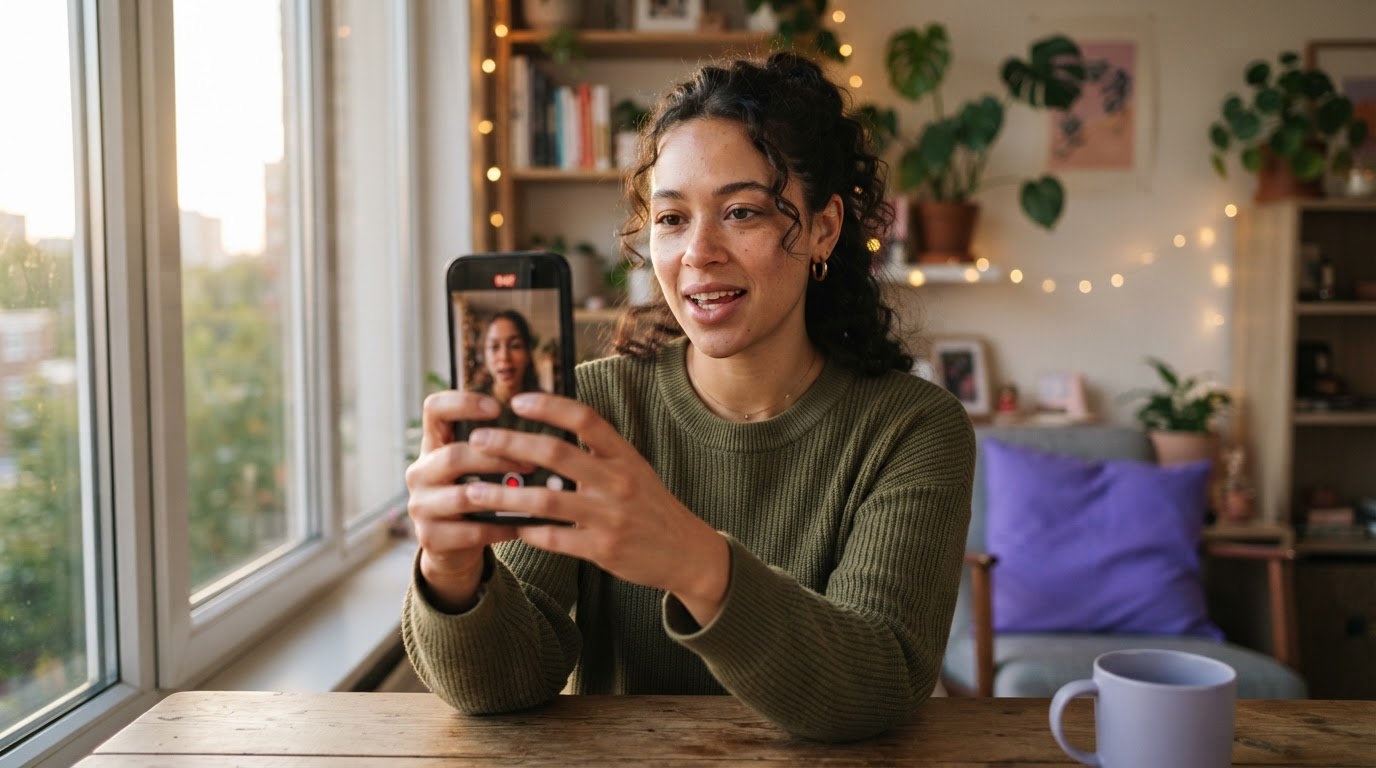
The defining characteristic is that the video does not look like a brand made it. Instead, it looks like a regular person picked up their phone and recorded something useful or interesting about a product.
Several visual and structural choices create that feeling:
Shot on a phone, not a camera rig. UGC style video often has slightly imperfect framing, natural lighting, and no obvious studio setup. This is intentional. Overproduced content signals "advertisement" immediately, and the viewer's guard goes up.
A real person talking to camera. Testimonial-style clips with someone looking directly at the viewer, speaking in a conversational tone, feel more like a recommendation from a friend than a pitch from a company.
Vertical format. Short-form platforms are phone-first. A vertical 9:16 frame is the native format for TikTok, Instagram Reels, and YouTube Shorts.
Fast pacing. The average viewer makes a decision to keep watching or scroll away within the first two to three seconds. UGC style videos earn attention quickly, usually by opening with something relatable, surprising, or directly useful.
No logo slaps or branded intro. Traditional ads open with a branded moment. UGC style ads do not. The product often appears partway through, after the viewer is already engaged.
What is a short-form UGC video?
A short-form UGC video is a vertical clip, usually between 7 and 60 seconds long, made to run on platforms like TikTok, Instagram Reels, or YouTube Shorts.
The "short-form" part is about length and pacing. These videos are built around the reality that a viewer is scrolling a feed at speed. There is no time for a slow build or an introduction. Every second has to earn the next one.
A short-form UGC video typically has two parts:
- The hook. The first few seconds that stop the scroll. This might be a bold statement, a surprising reaction, a relatable problem, or a quick visual that makes the viewer curious about what comes next.
- The payoff. The rest of the clip that delivers on the hook. For a product ad, this is usually where the product appears and does something useful or impressive.
This two-part structure is so reliable that it has become a standard format for mobile marketers. The hook earns the viewer's attention. The payoff converts it.
For a deeper look at how this plays out on TikTok specifically, the TikTok UGC ultimate guide for brands covers the format in detail.
UGC creator vs. content creator: what is the difference?
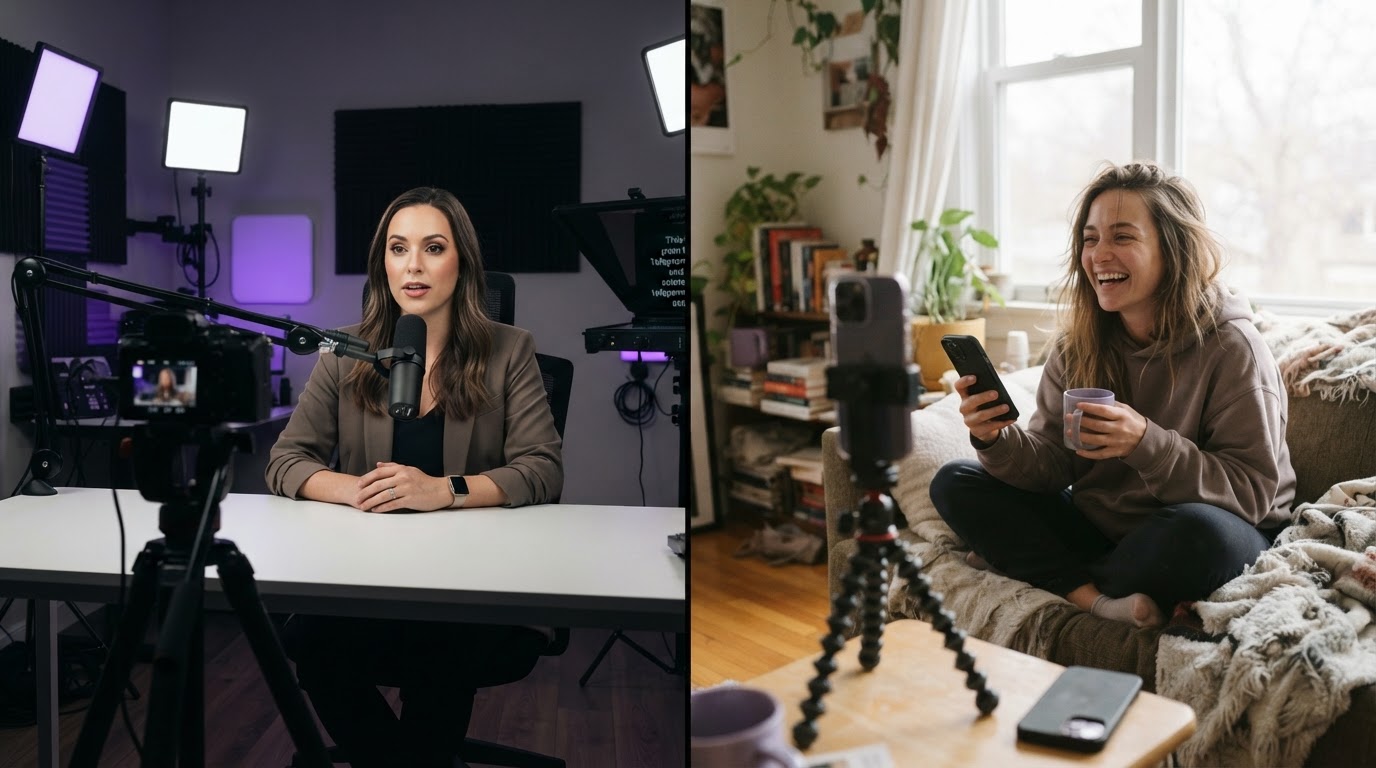
These two terms get used interchangeably, but they describe different jobs.
A content creator typically builds their own audience on a platform. They post regularly, grow followers, and earn through brand deals or ad revenue. When a brand works with a content creator, they are usually paying for both the content and the audience reach.
A UGC creator does something narrower. They create footage in the style of authentic user content, specifically for brands to use in paid ads, organic posts, or product pages. They may have no following at all. Their value is in how the footage looks and feels, not in how many people follow them.
For a brand running paid ads on TikTok or Reels, the difference matters a lot. A content creator deal typically comes with a higher price tag because the audience is part of what you are buying. A UGC creator deal is just about the footage itself.
This is why UGC style content became popular with indie app builders and small marketing teams. They need the footage without the influencer price tag. They can brief a UGC creator on what to say, what to show, and what feeling to create, then use that footage in their own ad campaigns.
Why does UGC style video work in ads?
Trust is the main reason. People have learned to tune out obvious advertising. But a video that looks like a friend's recommendation or a genuine user experience gets through filters that a polished ad does not.
There is also the platform context. TikTok and Reels are built on a feed full of people talking to cameras. When an ad looks exactly like the organic content around it, it blends in. Blend-in does not mean deceptive; it means native. The format matches what the viewer expects to see in that space.
A few other reasons UGC style video performs well in paid social:
Lower creative fatigue. Polished ads wear out quickly. Viewers recognize them fast and stop engaging. UGC style clips feel fresh longer because each one looks slightly different. The casual, human quality means small variations do not feel repetitive the way branded templates do.
Easier to test. Because the format is simple and does not require a production crew, it is cheaper and faster to make multiple versions. More creative variation means more data to find what works.
Better hook performance. The conversational, direct-to-camera format is naturally built around grabbing attention in the first two seconds, which is the part that matters most for short-form ad performance.
For a look at the broader tradeoffs of the format, the pros and cons of short-form video covers both sides clearly.
The anatomy of a UGC style ad
Most effective UGC style ads follow a recognizable structure. Understanding the pieces makes it easier to build them.
1. The hook clip (0 to 5 seconds)
This is the UGC portion. A real person, or someone filmed to look like one, addresses the camera directly. The hook might be a reaction shot, a relatable problem statement, a bold claim, or a surprising result. The goal is to stop the scroll.
Good hook examples:
- "I've been trying to get fit for three years and nothing worked until this."
- A wide-eyed reaction to a result on screen.
- "The app my trainer never told me about."
What makes these work is that they are specific, personal, and they leave a gap the viewer wants to fill.
2. The product demo (5 to 30 seconds)
After the hook earns attention, the product appears. This is where the app or service shows what it actually does. For mobile apps, this is often a screen recording with a voiceover or text overlay, sometimes cut with the original talking-head footage.
The demo should be clear and fast. Show the most interesting or useful moment of the product. Do not show every feature.
3. The close
A short-form ad does not need a long call to action. A simple end card, a text overlay, or a final spoken line pointing toward where to find the product is usually enough. The hook and demo do the real work.
This structure, hook clip first and product demo second, is simple enough that it scales. Swap out the hook clip and the rest stays the same. That swappability is why the format is so useful for marketers running multiple creative variants at once.
Real UGC vs. UGC style: comparing your options
Not all UGC footage is the same. Here is how the main options compare.
| Option | What it is | Cost | Speed | Control |
|---|---|---|---|---|
| Real customer footage | Clips submitted or reposted from actual users | Low to free | Slow to collect | Low |
| UGC creator (hired) | A creator films footage to your brief | Medium | Days to a week | Medium |
| AI-generated UGC | Avatar-based clips created with AI tools | Low to medium | Minutes to hours | High |
| Self-filmed UGC style | Founder or team films in UGC format | Low | Fast | High |
Real customer footage is the most authentic option, but it is hard to collect consistently and nearly impossible to control for quality.
Hired UGC creators give you quality footage with a human face, but briefing, revision rounds, and payment add friction. This is usually the best option when authenticity is critical and budget allows it. A library like DansUGC keeps a collection of real-human UGC ads that have driven viral results, which is useful for benchmarking what good looks like.
AI-generated UGC is the fastest-growing option. AI tools can produce talking-head clips, reaction footage, and b-roll using avatar photos. The quality has improved significantly and the footage is usable in paid ads. It works especially well for testing hooks quickly before investing in higher-quality human footage.
Self-filmed UGC style is underrated for indie builders. A founder talking directly to camera about why they built the product often outperforms professionally produced content because the authenticity is real.
To understand how these compare more closely, the guide on AI UGC vs. real UGC breaks down the tradeoffs.
What is the AI that creates UGC videos?

Several AI tools now generate UGC style footage using avatar photos, text prompts, or uploaded clips. The category has grown quickly because the demand for short-form ad content is higher than most small teams can keep up with by filming alone.
The most common use cases for AI UGC tools:
Talking head generation. Upload a photo of a person (or use a stock avatar), write a script, and the tool generates a clip of that avatar speaking to camera. The output looks like a person filmed on their phone.
Reaction clips. Short, silent facial reaction videos, useful as hooks before a product demo.
B-roll clips. Short context clips that set a scene without requiring a speaking role.
These tools do not replace all filming. They fill gaps when a library is thin, when testing new hooks, or when a team does not have the bandwidth to shoot. For a full breakdown of the tools available, what is the AI that creates UGC videos covers the main options.
For teams building their clip library on a budget, the guide on how to create UGC videos with AI walks through a practical workflow.
How indie app builders use UGC style content
For an indie developer or small mobile marketing team, UGC style video solves a specific problem: how to produce enough ad creative to test without a production budget or a video editor.
The workflow that works for most indie builders looks like this:
Step 1: Build a hook library. Collect or generate several short hook clips. These might be self-filmed talking-head clips, AI-generated reaction footage, or clips from a UGC creator. The goal is variety so different hooks can be tested against the same product demo.
Step 2: Record one solid product demo. A clean screen recording of the app doing something impressive, overlaid with simple text, is usually enough. One good demo can be paired with many different hooks.
Step 3: Pair and test. Combine hook clips with the product demo to create multiple ad variants. Post them, check what holds attention, and use what works to guide the next round.
This is the workflow ClipStitchr is built around. Instead of rebuilding every ad from scratch, the tool lets builders upload hook clips and a product demo once, pair them together, and produce finished vertical ads without manually editing a timeline. Clip scores check for weak openers or slow pacing before anything goes live, and templates save the structure from an ad that worked so the next batch starts from a solid foundation.
When the clip library runs thin, tools inside ClipStitchr called Clipr and Swapr can generate new hook and UGC footage using saved avatar photos. That keeps the production loop moving without requiring a new shoot every time creative feels stale.
For anyone curious about how UGC content actually performs on TikTok, how UGC works on TikTok is worth reading alongside this guide.
Common mistakes with UGC style video
Understanding what UGC style video is does not automatically mean the footage will perform. A few patterns consistently hurt results.
Opening too slowly
The most common mistake is spending the first few seconds on setup instead of the hook. Viewers make their decision to scroll in the first two to three seconds. A slow opener, like a long pause, a branded intro card, or a delayed first line, kills retention before the message lands.
The fix is simple: start with the most interesting or surprising part of what you have to say, then fill in context.
Looking too produced
If the lighting is too perfect, the background is too clean, or the cuts are too polished, the video starts to feel like an ad. That shifts the viewer into a skeptical mode.
This does not mean footage should look bad. It means the production choices should feel like something a regular person would do on their phone, not something a production company would do in a studio.
Using the same hook for every ad
A single hook clip paired with a single demo gives one data point. Running the same creative for weeks without variation leads to creative fatigue and declining performance.
Having a library of hooks means different messages can be tested. One hook might speak to people who are frustrated with their current solution. Another might speak to people who are curious and browsing. The same product demo can serve both.
Ignoring pacing after the hook
Earning the first few seconds is only half the job. If the product demo that follows is slow, confusing, or too long, viewers leave before they get to the call to action.
Scoring a finished ad before it goes live, looking at where pacing slows down or the message gets unclear, catches problems before they waste a paid ad slot or an organic post.
Building everything from scratch every time
The structural waste in ad production is rarely the filming. It is the time spent rebuilding the same setup: choosing clips, adding captions, setting up text overlays, adjusting timing. When a format works, saving it as a template means the next batch starts from something solid rather than a blank screen.
A practical example: what a UGC style ad looks like in practice
Here is what a finished UGC style ad for a fitness app might look like, broken into its parts.
Seconds 0 to 4 (hook clip): A person looks directly at the camera, slightly wide-eyed, and says: "I trained for eight months and barely saw results. Then my friend showed me this app." No branding. No logo. Just a relatable problem and a hint of a solution.
Seconds 4 to 20 (product demo): The screen recording takes over, showing the app's core feature in action. Text overlays highlight what is happening. The pacing is fast but clear. The product does something visibly impressive within the first few seconds of the demo.
Seconds 20 to 25 (close): A simple text card with the app name and a short line like "Download free." No hard sell. The hook and demo did the work.
That is the whole ad. Under 30 seconds. One hook clip. One product demo. One structure that can be replicated with a different hook tomorrow.
Next steps
UGC style video is not complicated, but it does require a repeatable process. The format only delivers results when there are enough creative variants to test, the hooks are strong enough to stop the scroll, and the production workflow is efficient enough that making a new batch does not take a full day.
For indie app builders and mobile marketers who want to build that process without rebuilding it from scratch every week, ClipStitchr handles the pairing, scoring, and library management so the creative work stays focused on what matters.
Start with a few hook clips and one product demo. Build from there.