
The best UGC videos look like something a real person posted because they were genuinely excited, not because a brand paid them to say nice things on camera. That tension is exactly what makes UGC hard to fake and why so many attempts fall flat.
The good news is that realism in UGC comes down to a handful of specific choices. Get those right and the video feels authentic. Get them wrong and it reads like a script.
This guide covers what those choices are, how to make them, and which tools actually help, whether you are filming yourself, hiring a creator, or generating content with AI.
Table of Contents
- What is a short-form UGC video?
- What makes a UGC video feel realistic?
- How to film realistic UGC yourself
- How to use AI to create UGC-style videos
- The best video editors for short UGC videos
- Real UGC creators vs AI UGC: what to choose
- How much do UGC creators make per video?
- Putting it together in a workflow that holds
What is a short-form UGC video?
UGC stands for user-generated content. In the context of ads and organic social posts, a short-form UGC video is a clip that looks like something a real person made and shared, usually filmed on a phone, usually in a natural setting, and usually featuring someone speaking directly to the camera or reacting to something.
The format took off on TikTok and has spread to Instagram Reels, YouTube Shorts, and paid ad channels. The reason it works is simple: people trust people more than they trust brands. A clip that looks like a friend recommending an app converts better than a polished studio ad because it triggers a different part of how we process trust.
For a deeper look at how this format works on TikTok specifically, the TikTok UGC ultimate guide for brands in 2026 covers the mechanics and what tends to perform.
What makes a UGC video feel realistic?
Most UGC videos that fail look too clean. They have perfect lighting, a script that sounds polished, and a call to action that no normal person would say out loud. The platform algorithm does not penalize that exactly, but viewers do. They scroll past it.
Realistic UGC shares a few consistent qualities:
The hook is specific, not general. "I finally found an app that fixed my sleep" lands better than "This app changed my life." Specific details signal that a real person had a real experience.
The setting is ordinary. Bedroom, kitchen, car, coffee shop. Not a photography studio or a white backdrop. The messier the background, the more authentic it feels, within reason.
The pacing is a little imperfect. Real people pause. They change direction mid-sentence. They laugh or make a small face. Those imperfections signal that nothing was scripted.
The product shows up in context. Someone opening the app on their actual phone is more believable than a polished screen recording with a voiceover. The product should appear as part of the story, not as the obvious point of the video.
The text overlay, if there is one, sounds like the person talking. Overlay text that reads like ad copy breaks the illusion immediately.
Getting those five things right is more than half the battle. Everything else is execution.
How to film realistic UGC yourself
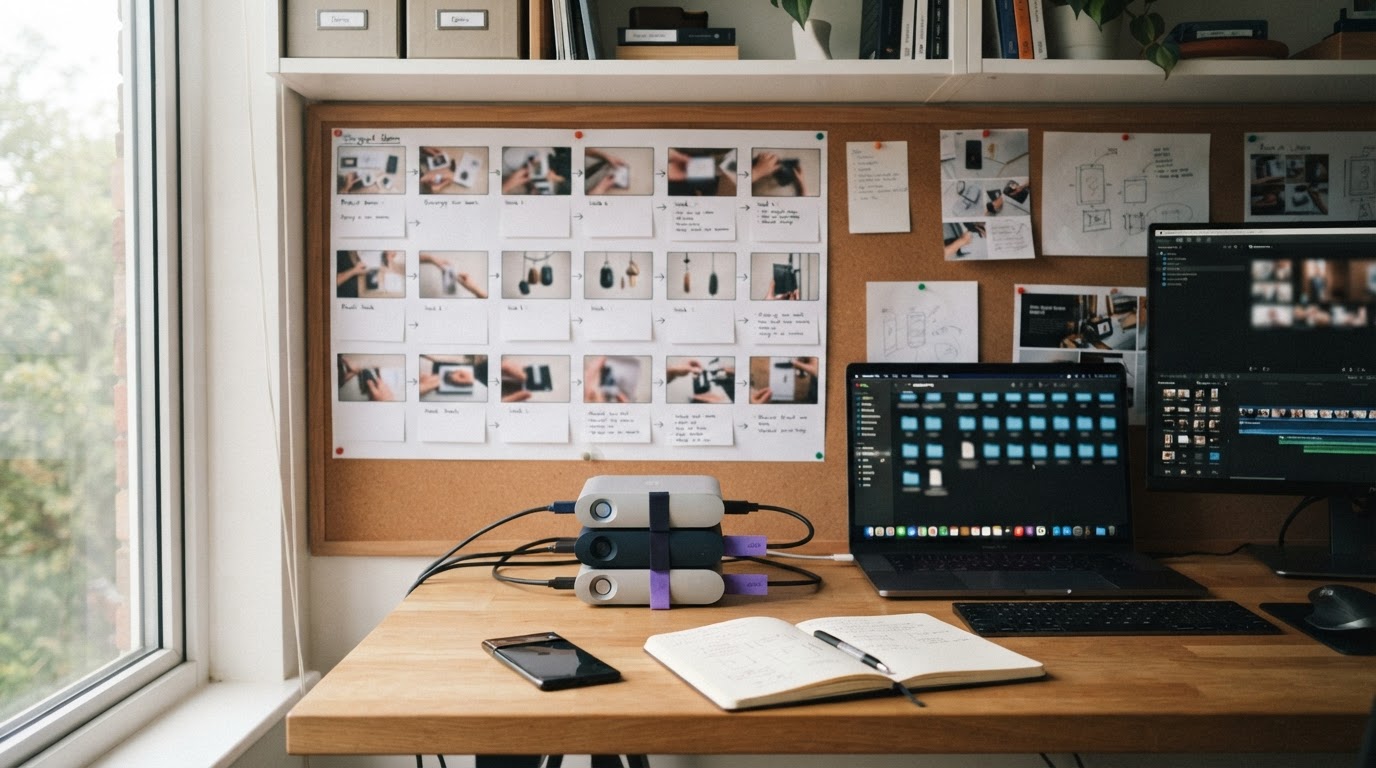
Filming your own UGC is the cheapest option and more viable than most indie builders assume. You do not need to be on camera if that feels uncomfortable. A hands-only shot of someone using the product works. A screen recording stitched with a short talking head clip works. A reaction shot works.
Here is a practical approach:
Plan the hook first
Before you pick up your phone, write the first two seconds. That is the hook. The hook is what decides whether anyone watches the rest. A useful question to ask: what is the one thing that would make someone stop scrolling and feel like this is about them?
Some hooks that work well for app UGC:
- "I deleted every other [category] app after I tried this one."
- "Nobody tells you this about [problem the app solves]."
- "Day 14 of using [app]. Here is what changed."
The hook does not have to be clever. It has to be specific and fast.
Set up the shot in under five minutes
Use a windowsill or a table near natural light. Turn off overhead fluorescent lights if you can. Prop the phone against something stable. Shoot vertical, 9:16 ratio. That is it.
You do not need a ring light. You do not need a gimbal. A slightly imperfect shot actually helps with authenticity.
Record a few takes and keep the rough one
Film the same clip three or four times. The first take is usually the stiffest. The third or fourth take, when you stop caring, often sounds most natural. But the rough first take is sometimes the most honest. Keep a few options.
Aim for clips between 5 and 15 seconds. UGC hooks that run longer than 15 seconds before getting to the product tend to lose viewers.
Film the product moment separately
The product demo, the app being used, the result being shown, should be its own clip. That way you can mix and match. A strong hook clip from Tuesday can be paired with a product demo from last month. This is the pairing logic that tools like ClipStitchr are built around: keep hooks and demos separate so you can recombine them without reshooting everything.
How to use AI to create UGC-style videos

AI-generated UGC has gotten significantly more convincing over the past year. The main tools use avatar technology, either with a real person's photo or a generated character, to create talking-head clips that look like someone filmed themselves on a phone.
This is useful when:
- The library of real clips is thin and a new shoot is not practical
- Multiple variations are needed quickly
- The person behind the product does not want to be on camera
How AI UGC tools generally work
Most tools follow a similar pattern. You provide a photo of a person (real or AI-generated), write or paste a script, choose a background or setting style, and the tool renders a video of that person saying the words.
The output quality varies a lot. The things that tend to go wrong are: lips that do not quite match the audio, hand movements that look unnatural, and text delivery that sounds robotic.
The way to avoid those problems is to keep the script short and conversational, choose avatar photos that have clear lighting and a simple expression, and add some background noise or ambient sound to the final clip.
For a closer look at which AI tools produce the most convincing results, what is the AI that creates UGC videos covers the major options with honest notes on each.
This tutorial is also a useful starting point for seeing how AI UGC production actually looks in practice:
Generating hook clips without a new shoot
Tools like Clipr (built into ClipStitchr) let you choose a saved product, pick an avatar photo, and generate a short reaction or b-roll clip. Those clips get saved directly into the hook library and can be paired with a product demo in the same session. The point is not to replace real footage, but to fill gaps when the library runs thin between shoots.
Swapr, another ClipStitchr tool, takes an existing UGC clip and generates a variation of it with a different avatar. That is useful for testing different faces or styles without reshooting the underlying motion.
For a step-by-step walkthrough of creating UGC videos with AI from scratch, this guide goes deeper: how to create UGC videos with AI.
The best video editors for short UGC videos
The editing choices matter more than most people expect. The right tool depends on what you are optimizing for: speed, control, or output quality.
CapCut
CapCut is the most widely used editor for short-form UGC because it is free, mobile-first, and built for vertical video. It has text templates, auto-captions, and a library of transitions that fit the TikTok aesthetic. The weakness is that it requires manual timeline editing, which slows down anyone trying to produce more than a few ads per week.
DaVinci Resolve
DaVinci Resolve is a professional-grade editor that is free for the core version. It gives full control over color grading, audio, and effects. The learning curve is steep and it is desktop-only. Most UGC creators do not need this level of control unless they are producing polished branded content, not raw-feel UGC.
Adobe Premiere Pro
Premiere is the industry standard for video editing. It integrates well with other Adobe tools and handles batch exports cleanly. But it is expensive and heavy for someone who just needs to pair a hook clip with a product demo.
ClipStitchr
ClipStitchr is built specifically for the hook-plus-demo structure that UGC ads follow. Instead of dragging clips around a timeline, users upload hook clips and a product demo once, then the tool pairs them and produces finished vertical drafts for review. It does not replace a full editor for complex projects, but for indie builders who need a repeatable ad-creation workflow without a dedicated editor, it removes most of the manual work.
The scoring system (Clip Scores and Stitch Scores) is genuinely useful here because it flags weak openers, slow pacing, and unclear moments before the ad goes live, which is exactly the kind of feedback that prevents wasted ad spend.
CapCut vs ClipStitchr: the practical difference
CapCut is better when you need full creative control over a single video. ClipStitchr is better when you need to produce multiple variations quickly and want the hook-plus-demo structure handled automatically. They are solving different problems.
Real UGC creators vs AI UGC: what to choose
This is the question most indie builders and mobile marketers land on eventually, and the answer is not obvious.
Real UGC creators produce content that looks genuinely human because it is. They handle their own delivery, their own setting, their own energy. When the script is good and the creator is a fit for the product, the result is very hard to beat.
AI UGC is faster, cheaper per clip, and available on demand. The tradeoff is that the output has tells: slight lip-sync issues, slightly stiff gestures, and a delivery that can sound flat if the script is not written carefully.
Here is a practical comparison:
| Factor | Real UGC Creators | AI UGC |
|---|---|---|
| Cost per clip | $75 to $500+ | $5 to $30 |
| Turnaround | 3 to 7 days | Minutes to hours |
| Volume | Limited by creator availability | Unlimited |
| Authenticity ceiling | High | Moderate |
| Customization | Dependent on creator | High |
| Best for | High-stakes paid ads | Testing hooks, volume |
The practical answer for most indie builders: use real UGC for the ads that carry most of the spend, and use AI UGC to generate variations, test hooks, and fill the library between creator campaigns.
If you want to explore what makes the two approaches different in more detail, AI UGC vs real UGC lays out the comparison honestly.
For sourcing real UGC creators, DansUGC maintains a library of real-human UGC ads that go viral, which can be useful both as inspiration and as a source of creators worth working with.
Here is a full workflow tutorial that covers the AI UGC production process end to end, including how to handle variations:
How much do UGC creators make per video?
This comes up often because builders who are thinking about hiring creators want to know what to expect, and creators want to know whether the work is worth it.
The honest answer is that rates vary widely. A few factors drive the difference:
Experience and niche. A creator with a track record of producing converting ads for apps or software will charge more than a generalist lifestyle creator. Niche matters too: finance, health, and productivity apps tend to pay higher rates than casual games.
Usage rights. A video the brand can only use organically is cheaper than one licensed for paid ads. Paid ad rights often double or triple the rate.
Deliverables. One raw talking-head clip is cheaper than a clip with b-roll, captions, and revisions.
Platform. TikTok ads, Meta ads, and YouTube pre-rolls have different standard rates.
A rough range that holds across most markets:
- Entry-level UGC creators (new, no proven ad performance): $50 to $150 per clip
- Mid-tier UGC creators (some track record, decent engagement): $150 to $400 per clip
- Experienced UGC ad creators (strong portfolio, proven conversions): $400 to $1,000+ per clip
For paid ad licenses on top, add 50% to 100%.
For indie builders running lean, those numbers push hard toward AI UGC for the testing phase, with real creators brought in for the top-performing hooks once there is data on what actually works.
Putting it together in a workflow that holds
The mistake most builders make is treating each UGC video as a one-off project. Film a clip, edit it, post it, repeat from scratch next time. That approach does not scale and leads to inconsistent output.
A more durable workflow looks like this:
Build a clip library, not just individual videos
Every hook clip you film or generate should go into a library, not just into the current project. When the next ad batch is needed, the starting point should be "which hooks do I have?" not "what do I need to shoot?"
That library also includes the product demo. One good product demo can be paired with dozens of different hooks. Reshooting the demo every time is wasted effort.
Score before you publish
A quick review of each clip before it goes into an ad saves real money. Weak hooks, slow pacing, and unclear moments are fixable before the ad runs. After it runs, that feedback costs in wasted impressions.
ClipStitchr's Clip Scores and Stitch Scores are designed for exactly this check. The score is not a guarantee, but it flags the obvious problems that are easy to miss when you are close to the work.
Use templates for repeating structures
If a hook-plus-demo structure worked, save it. The trim points, the text overlay style, the caption format, all of that should be reusable. Starting from scratch every time is the thing that makes a new batch feel like a full day of work when it should take an hour.
Test more hooks, not more demos
The hook is the variable that changes performance most. The demo usually stays consistent. When testing, the fastest way to find what works is to pair the same demo with five or ten different hooks and see what holds attention.
That is the core workflow that ClipStitchr is built around: upload the demo once, cycle through hooks, produce batch drafts for review, score them, and ship the ones worth posting.
For understanding how this plays out on TikTok specifically, how does UGC work on TikTok explains the distribution mechanics that make the hook-first structure worth paying attention to.
And if views on TikTok are the goal, how to get 1,000 views on TikTok fast covers the practical levers that move the number early.
Once drafts are finished and ready to go, scheduling through a tool like Post Bridge keeps the pipeline moving without manual posting steps.
A quick summary
Making realistic UGC videos comes down to a few things that are easy to get wrong and easy to fix:
- The hook has to be specific and fast
- The setting should look like somewhere a real person actually is
- The pacing should feel slightly imperfect
- The product should show up in context, not as the obvious point
- The text overlay should sound like the person, not like ad copy
If filming is not practical, AI UGC tools can fill the gap, especially for hook clip variations and testing. The tools have gotten good enough that when the script is natural and the avatar is clean, most viewers will not notice the difference.
The workflow that holds long-term is the one that builds a reusable clip library, scores clips before they run, and saves the structures that work so the next batch does not start from zero.
If that workflow sounds like what is missing right now, ClipStitchr is worth a look. It is built for exactly this problem: turning a set of hook clips and one product demo into finished TikTok and Reels ads without rebuilding the whole process every week. There is a 14-day free trial and no credit card required to start.