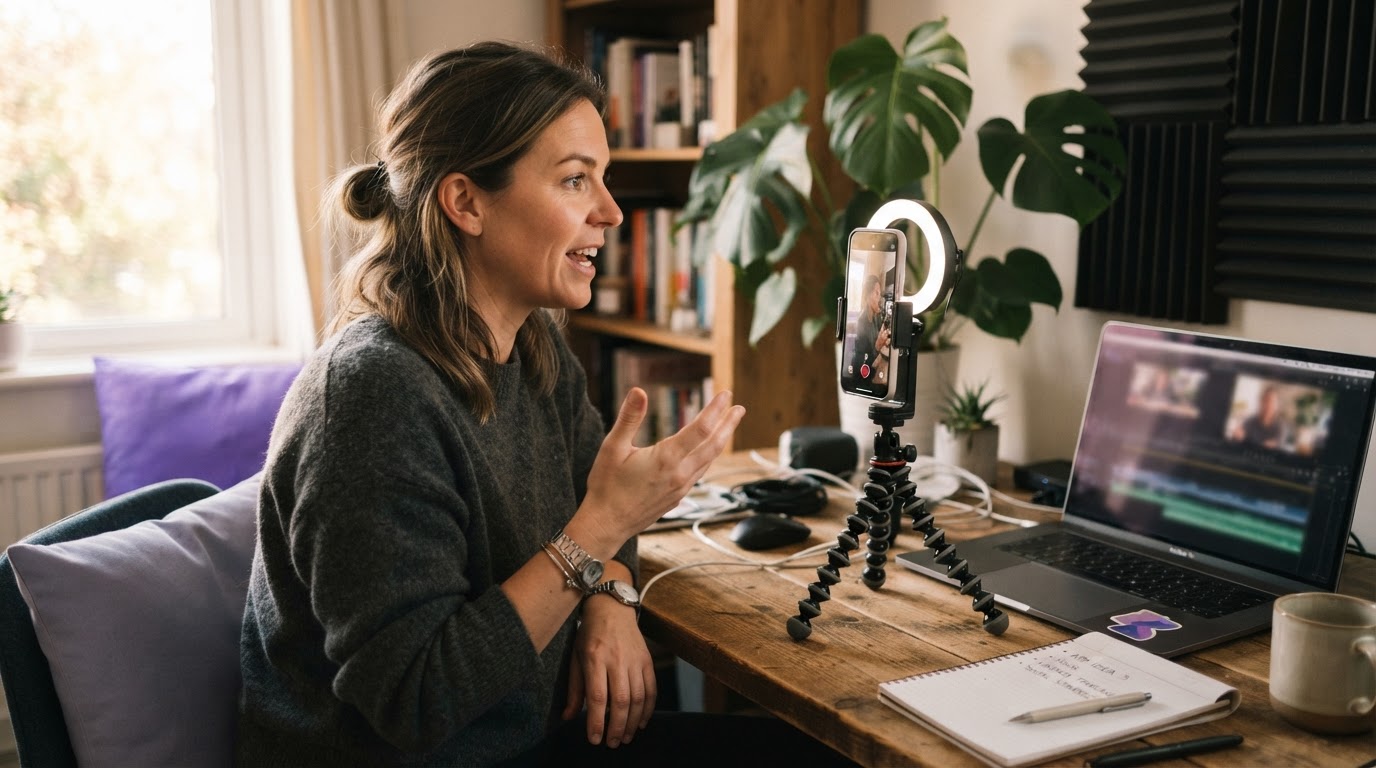
Zero dollars goes surprisingly far on TikTok. Not because the platform is easy, but because TikTok's algorithm does not care how much you spent getting there. A video from an account with 40 followers can land on a million For You pages if it holds attention. That is the thing that makes TikTok different from almost every other platform, and it is the thing that makes a $0 strategy actually viable.
This guide covers what that looks like in practice: how to set up an account correctly, what to post, how to structure videos so people keep watching, how to build content without a studio, and when tools can help you move faster. It is written for indie app builders and small teams who do not have a media budget but do have something worth showing people.
Table of Contents
- Why $0 TikTok marketing is real, not a gimmick
- Set up the account the right way first
- Understand what the algorithm actually rewards
- Post consistently without burning out
- Hook structure: the first second is everything
- Use trending sounds without looking desperate
- Engage in comments and duets to grow faster
- Repurpose content across formats
- When your clip library runs dry
- Track what works so you stop guessing
- The honest ceiling of organic and when to think bigger
Why $0 TikTok Marketing Is Real
Most platforms are pay-to-play at scale. Instagram reach collapsed for accounts without ad spend years ago. Facebook organic reach for pages is essentially decorative. TikTok is different, at least right now, because the For You Page distributes content based on watch time and engagement signals, not follower count.
This is why you keep seeing accounts with 200 followers get 800,000 views on a video. It is not luck, exactly. It is the algorithm testing content in small batches and expanding distribution when early viewers stick around. If people watch to the end, TikTok shows it to more people. If they swipe away in the first two seconds, it stops.
That mechanic is the entire foundation of zero-budget TikTok marketing. You cannot buy your way to retention. You have to earn it with the content itself.
For a deeper look at how TikTok's marketing landscape works, this overview of TikTok marketing is worth reading before going further.
Set Up the Account Right
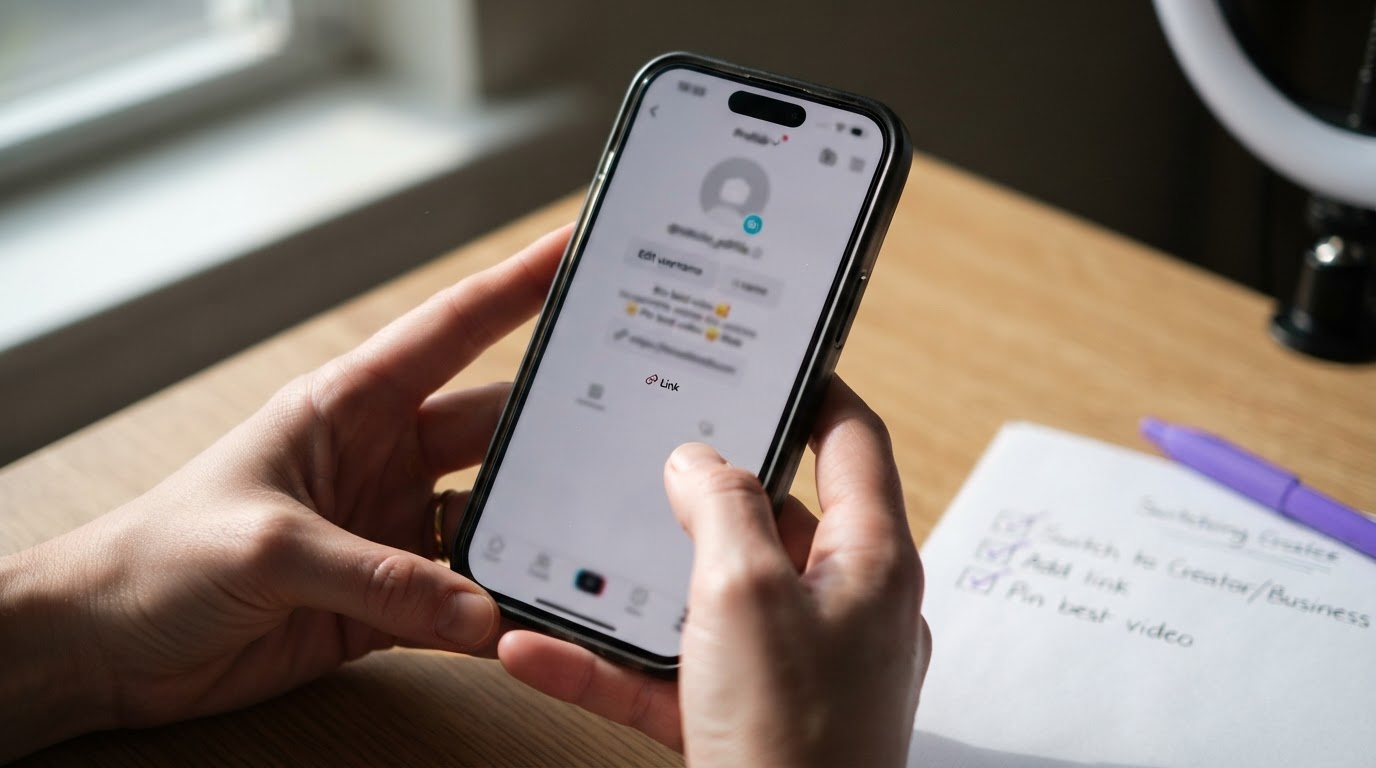
Before posting anything, spend twenty minutes getting the basics right. This is not glamorous, but a half-finished profile is a signal to potential followers that the account is not worth taking seriously.
Switch to a Business or Creator account. Both give access to analytics. The analytics are free and genuinely useful. Without them, content strategy is guesswork.
Write a bio that says what you do in one sentence. Not your mission statement. Not your values. One sentence that tells someone scrolling your profile exactly what they will get from following you. If the account is for an app, say what the app does. "I built a calisthenics tracker. I post what I learn building and growing it." is better than "Founder. Builder. Dreamer."
Use a recognizable profile photo. If the product has a logo, use it. If it is a personal brand, use a clear headshot. Blurry or generic photos lose trust fast.
Put the product link in the bio. TikTok allows one link. Make it go somewhere useful, a landing page, an App Store page, or a link aggregator if you genuinely need multiple destinations.
Pin your best video. Once the account has a few posts, pin the one that explains what the account is about or the one that performs best. New visitors land on the profile and that pinned video is often the first thing they see.
What the Algorithm Actually Rewards
Spending time trying to "crack" the TikTok algorithm is mostly a waste of energy. The algorithm changes. What does not change is the behavior it tries to predict: did people watch the video?
The signals TikTok uses to decide whether to expand a video's reach come down to a handful of things:
- Watch time and completion rate. Finishing a video is the strongest signal. A 15-second video that gets watched to the end will beat a 60-second video that gets skipped at ten seconds.
- Replays. People who watch a video twice send an even stronger signal. This usually happens when a video is funny, confusing in a good way, or genuinely useful.
- Shares. Shares are the most powerful signal. Someone sending a video to a friend is a strong vote of confidence.
- Comments and saves. Both indicate that the content meant something to the viewer.
- Early swipe-aways. If most people leave in the first two seconds, distribution shrinks fast.
The practical implication is simple: make shorter videos to start, obsess over the first two seconds, and give people a reason to stay.
Post Consistently Without Burning Out
The advice to "post three times a day" is real but unsustainable for most solo builders. A more honest framework is this: post as often as you can maintain for at least 60 days without stopping.
One video per day is achievable for most people. Three videos per week is fine if the content is genuinely good. What kills accounts is posting seven times in a week and then going quiet for three weeks. The algorithm treats inconsistency as a signal that the account is low-priority.
Batch your content. Pick one day per week where you film or assemble everything for the next seven days. Record five to ten clips in a single session while you are already set up. This is far more efficient than starting from scratch every day.
Separate filming from editing. These are different mental tasks and doing them at the same time slows everything down. Film on Monday. Edit on Tuesday. Schedule for the rest of the week.
Use a simple content calendar. It does not need to be elaborate. A spreadsheet or a notes app with the next 14 days mapped out is enough. If the calendar is blank and you are trying to decide what to post every day, most people will eventually stop posting.
For a structured approach to planning content for an app, this 30-day app content plan tool can help map out what to post and when.
Hook Structure: The First Second Is Everything
Every TikTok video is a small negotiation. In the first one to two seconds, the viewer is deciding whether to keep watching or swipe. The hook is the thing that wins or loses that negotiation.
A hook can be visual (something unexpected in the frame), text-based (an overlay that asks a question or makes a claim), or spoken (a line that creates curiosity or tension). The best hooks usually combine at least two of these.
Things that tend to work:
- Starting mid-action. Do not open on a title card or a slow introduction. Drop the viewer into the middle of something happening.
- Asking a question the viewer actually cares about. "Why does this fitness app have 500,000 downloads but almost no one talks about it?" is more interesting than "Today I'm going to show you my app."
- Making a counterintuitive claim. "The thing most people do wrong when building their first app is not the code." Disagreement is compelling.
- Showing the result first. In cooking videos, showing the finished dish at the start is a well-worn tactic because it works. Showing what your app does in the first two seconds, before explaining how, applies the same logic.
Things that tend to fail:
- Opening with your name and what you are about to do.
- Starting with an intro animation or logo.
- Slow zooms or pans with no text.
- Asking people to like and follow before giving them a reason to.
Writing good hooks consistently is genuinely hard, especially if copywriting is not a natural skill. The Hook Lab feature inside ClipStitchr exists specifically because most builders are not natural copywriters. It lets users paste lines that feel right, add examples of lines that felt fake, and get hook options that sound less like a generic prompt.
Use Trending Sounds Without Looking Desperate

Sound is part of the TikTok algorithm. Videos using trending audio get a small distribution boost because TikTok surfaces content tied to sounds that are already performing well. This is free leverage and worth using.
The trap is using sounds that have nothing to do with the content, or jumping on a trend so late that the sound is already oversaturated.
How to find trending sounds:
- Open TikTok and tap the search icon. Look at what trends are surfaced in the "For You" section under sounds.
- When creating a video, tap "Add Sound" and look at the trending tab. Sounds with the lightning bolt icon are climbing fast.
- Watch what sounds appear on videos in the same niche. If three different creators in a similar space are using the same audio, it is probably worth noting.
How to use them without looking forced:
The sound should not distract from the content. If the trending audio is a snippet of a pop song, use it as background music at low volume. If it is a voice clip or meme sound, only use it if the video genuinely fits the context. Forcing a meme sound into a tutorial video looks awkward and signals to the algorithm that the content is low quality.
One useful rule: if using a trending sound requires changing the content to fit the sound, skip it. The content comes first.
Engage in Comments and Duets to Grow Faster
Zero-budget TikTok growth is not just about posting. The comment section and the Duet and Stitch features are distribution tools in their own right.
Reply to every comment, especially early on. When an account is small, every comment is an opportunity to show the algorithm that the content is sparking conversation. Reply genuinely. Ask a follow-up question. This adds activity to the video and keeps it cycling through the algorithm longer.
Reply to comments with videos. TikTok lets users respond to comments with a new video. That response video appears in the original comment thread and also gets its own feed distribution. This is a clean, low-effort way to create more content from questions the audience is already asking.
Use Duet and Stitch to enter existing conversations. Dueting a video from a bigger creator in the same niche puts the account in front of that creator's audience. Stitching a popular video with a useful follow-up comment or addition is the same idea. The key is adding something, not just reacting blankly. "Here's what this video got wrong" or "This tip works, but here's the part they left out" gives the viewer a reason to stay.
Comment on other people's videos in the niche. Thoughtful comments on videos from bigger accounts get seen by everyone who engages with that video. This is free visibility. Short, generic comments ("great video!") do nothing. Specific, useful, or funny comments get upvoted and stay visible.
Repurpose Content Across Formats
One piece of content should never live in only one format. A single idea can become a short video, a carousel post, a longer explainer, and a comment reply. Repurposing is how a small team keeps up with the volume that TikTok rewards without burning out.
Short video to carousel. A tutorial that works as a talking-head video can often be turned into a slide-by-slide carousel. Some audiences prefer reading over watching. Carousel posts also tend to have longer session times because swiping takes more active engagement than passive watching.
Long video to short clip. If a video runs long, cut the strongest 15 seconds out and post it as a separate video pointing back to the original. This is especially useful for anything that gets an unexpectedly strong response.
Video to written post. TikTok captions are searchable now. A caption that actually explains the content (rather than just saying "watch to find out") adds discoverability. Writing a short paragraph in the caption that summarizes the video gives the post a second chance at being found.
For app builders specifically, carousel content is underused. A lot of useful information, app comparisons, step-by-step guides, and before/after breakdowns work better as slides than as video. This guide on growing a mobile app with slideshow content goes into more detail on when slides outperform video.
When Your Clip Library Runs Dry
One of the most common points where zero-budget TikTok strategies stall is simply running out of usable footage. Filming is time-consuming. Editing raw footage into something postable takes even longer. When the clip library is thin, posting frequency drops, and then it stops entirely.
A few approaches that help:
Batch filming sessions. Set up once and film as many clips as possible in one go. Change the shirt between takes if variety matters. Ten clips filmed in an hour is far more efficient than filming one clip per day.
Screen recordings. For app builders, the product itself is content. A clean screen recording showing a feature, walking through a workflow, or demonstrating a result can be edited into a useful short video with minimal effort. The phone is already in the pocket.
Reaction and b-roll style clips. Not every video needs a talking head explaining something. Short reaction clips, a face reacting to a result, a quick look at the screen, a "before and after" cut, these take seconds to film and can be surprisingly effective as openers.
AI-generated hook clips. When shooting more footage is not realistic, tools like ClipStitchr's Clipr feature can generate short reaction and b-roll clips using saved avatar photos. These clips go directly into the library and can be paired with product demos to create finished ads without a new shoot. It is not a replacement for genuine footage, but it keeps the pipeline moving when the alternative is posting nothing.
For a broader look at UGC ad creation workflows and how different tools compare, this post on UGC ad creation and short-form video workflow alternatives covers the landscape clearly.
Track What Works So You Stop Guessing

Posting without tracking is how people spend months on TikTok without learning anything. TikTok's free analytics are genuinely useful and most people ignore them.
The metrics that matter for organic growth:
- Average watch time. This shows how long people are staying. If the average watch time on a 30-second video is 8 seconds, the hook is either weak or the content does not deliver on what the hook promised.
- Completion rate. The percentage of viewers who watch to the end. Higher is better. For short videos (under 15 seconds), a completion rate above 70% is solid. For longer videos, 40% to 50% is realistic.
- Traffic source breakdown. TikTok shows where views came from: the For You Page, the Following feed, profile visits, or search. A video getting most of its views from the For You Page is being distributed by the algorithm. A video getting most views from profile visits is pulling in people who already know the account.
- Shares per view. Divide total shares by total views to get a rough share rate. Anything above 1% is doing well organically.
Build a simple testing habit. Post two versions of a similar concept with different hooks. See which one the algorithm expands. Do this regularly and patterns emerge over time. What kind of opening lines get more completions? What video lengths work best for this audience? What topics generate more shares?
This kind of lightweight creative testing is how zero-budget accounts compound their learning without spending money. The TikTok Reels creative testing tracker is a free tool that can help organize this process.
Posting Is Only Half the Job: The Production Side
Getting content out consistently is one problem. Making it look like it belongs on TikTok is another.
TikTok videos should be vertical (9:16), clear, and well-lit. None of that costs money. A phone near a window is better than a ring light in a dark room. A plain wall is better than a cluttered background. Captions are essentially required because a large portion of TikTok is watched on mute, and viewers who cannot follow along without sound will leave.
Text overlays. Most successful TikTok videos use text overlays to reinforce the spoken content or to carry the full message when sound is off. The text should appear early and update throughout the video so there is always something to read.
Captions in the video (not just the post caption). TikTok has a built-in auto-caption feature. Turn it on. Correct the errors before posting. This improves accessibility and keeps viewers who prefer reading engaged.
Keep it native. Heavily produced videos often underperform on TikTok. The platform is built for content that feels real and immediate. A slightly shaky phone video with good information will often outperform a polished brand video that looks like a TV commercial. This is an advantage for indie builders who cannot afford professional production.
For videos that include a product demo, the structure that tends to work on TikTok is: hook clip first, product demo second. This is the same structure that ClipStitchr's Stitchr feature uses to assemble finished ads, because it reflects how attention actually works on short-form feeds. Earn the view, then show the product.
Scheduling and Consistency Without the Manual Effort
Once the content is created, posting at the right time matters a little (though less than most people think). TikTok's own analytics show when the existing audience is most active. Posting during those windows gives a video a better chance of early engagement, which influences how widely it gets distributed.
The practical problem is that posting manually every day is easy to forget or deprioritize. Using a scheduling tool removes that friction. Post-Bridge handles scheduling after content is ready to go, and ClipStitchr's Post Bridge integration can send finished ads directly into the scheduling queue so nothing sits in a drafts folder waiting.
For accounts building on multiple platforms simultaneously, scheduling tools also make it easier to cross-post the same content to Reels, YouTube Shorts, and other platforms without extra work. The video is already made. The distribution should be as frictionless as possible.
The Honest Ceiling of Organic and When to Think Bigger
Zero-budget TikTok marketing works. It also has a ceiling.
Organic growth is slower than paid growth. A well-targeted ad can do in a week what organic content takes months to achieve. The $0 approach makes sense when there genuinely is no budget, or when the goal is to learn what content resonates before spending money amplifying it.
The smartest sequence for many indie builders is: start organic, learn what hooks and formats get the best watch time and shares, then take the content that is already proven and put a small budget behind it. Spending money on content that was already working organically is far less risky than spending money on content that has never been tested.
For a look at what happens when organic reach is not enough or TikTok itself becomes uncertain, this post on TikTok alternatives for small business marketing covers the options worth considering.
Putting It Together: A Realistic Weekly Workflow
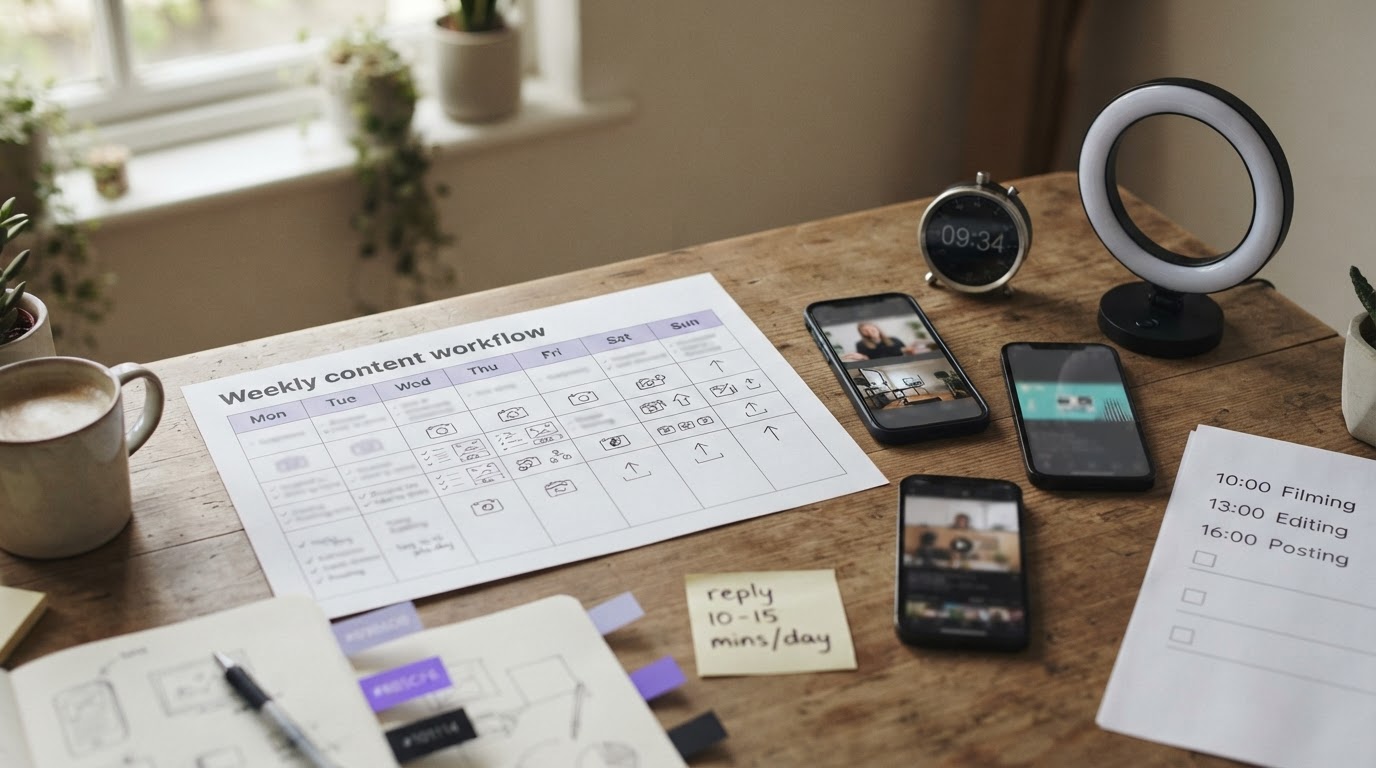
Here is what a sustainable zero-budget TikTok workflow looks like for a solo builder or small team:
Monday: Film five to eight clips in one session. Screen recordings, talking-head explanations, reaction clips, whatever fits the content plan. No editing yet.
Tuesday: Edit the week's clips. Add text overlays and captions. Score each clip for pacing and hook strength before deciding which ones to post. Cut anything that loses the thread in the first two seconds.
Wednesday through Friday: Schedule or post one video per day. Spend ten to fifteen minutes each day replying to comments and engaging with other accounts in the niche.
Sunday: Check analytics. Note which videos had the highest completion rate and share rate. Write down what made those videos different. Use that to plan the next week's filming session.
That is roughly two to three hours of active work per week. It is sustainable, and it compounds. An account that follows this rhythm for three months will have learned more about what its audience responds to than most accounts learn in a year.
For getting more views faster once the content quality is dialed in, this guide on getting to 1,000 views on TikTok covers the early distribution mechanics in more detail.
A Note on Tools and When They Help
Tools do not fix weak content. But they do reduce the amount of time between "I have a clip" and "the ad is ready to post," which is the thing that causes most people to eventually stop posting.
For indie app builders specifically, the workflow problem is usually not creativity. It is the mechanical overhead: trimming clips, pairing hooks with demos, writing text overlays, scoring whether a video is actually ready. That work is necessary but it should not be what eats the day.
ClipStitchr is built to compress that overhead. Users upload hook clips and a product demo once, the tool pairs them together and produces ready-to-review vertical ads, and a built-in library keeps everything organized so nothing gets lost between sessions. Clip and Stitch scores flag weak openers and slow pacing before anything goes live. Templates save the structure from a finished ad so the next batch does not start from zero.
For accounts where the clip library is thin, tools like Clipr and Swapr generate new hook footage using avatar photos, keeping the content pipeline moving without requiring a new shoot every week.
None of that replaces the strategy. But it does make it much easier to execute consistently, which is ultimately what separates accounts that grow from accounts that stall.
Final Thought
TikTok with a $0 budget is not a workaround. For a lot of indie builders, it is the most rational starting point. The platform genuinely rewards content quality over content budget. The investment required is time, consistency, and a willingness to learn from what the analytics show.
Start with the account setup. Get the hook structure right. Post consistently enough to learn something. Track what works and do more of it. Keep the clip pipeline full so there is always something to post.
That is the whole strategy. The tools, the trending sounds, the engagement tactics, they all support that core loop. But the loop itself is simple, and it does not cost anything to start.
If the production side is the bottleneck, ClipStitchr's free trial is a low-friction way to see how much faster finished ads come together when the workflow is handled for you.