Here is the short answer: you can create UGC-style ads with AI by generating hook clips using avatar-based video tools, pairing those clips with a product demo, adding overlay text, and exporting the finished vertical video. The whole thing can take under an hour once you have a basic workflow in place.
The longer answer is that the workflow matters as much as the tools. Most people who try AI UGC ads get stuck because they treat each ad as a one-off project instead of building a small system they can repeat. This guide covers both parts, the tools and the system, so you can actually keep going after the first batch.
Table of Contents
- What is a UGC ad, exactly?
- UGC creator vs. AI UGC: what is the real difference?
- What is a short-form UGC video?
- What AI tools create UGC videos?
- How to create UGC ads with AI, step by step
- The hook problem and how to fix it
- How to build a repeatable UGC ad workflow
- How to check an ad before it goes live
- Common mistakes that waste time
- A simple recommendation for indie builders
What is a UGC ad, exactly?
UGC stands for user-generated content. In a traditional sense, it means content that real customers or community members create about a product without being hired to make it. Think of someone recording a phone review in their kitchen or posting a before-and-after result on TikTok.
UGC-style ads borrow that same look and feel on purpose. They are designed to blend into a social feed rather than stand out like a polished brand commercial. The idea is that people scroll past obvious ads, but they stop for something that looks like a real person talking about something they actually tried.
For a broader breakdown of what UGC really means and why it matters, the TikTok UGC ultimate guide for brands covers the full picture.
A UGC ad typically has a few recognizable parts:
- A hook clip: A person reacting, talking, or doing something that grabs attention in the first one to three seconds.
- A product demo: Footage that shows what the product actually does.
- Text overlays: Short lines of copy that support the hook or add context.
- Captions and audio: Either trending audio or a voiceover that keeps the viewer watching.
The combination of these parts, especially the human hook followed by the product demo, is what makes a UGC ad feel native to TikTok and Reels instead of feeling like a paid placement.
UGC creator vs. AI UGC: what is the real difference?

A UGC creator is a real person, usually a freelancer or content creator, who records themselves talking about or using a product. Brands pay them for the footage, and the creator delivers raw clips that the brand can use in ads.
AI UGC replaces the human recording step with generated video. Instead of booking a creator, you choose an avatar, describe the scene or script, and the tool generates a short video clip that looks like a real person filmed it.
Neither approach is automatically better. Real UGC tends to have more spontaneous energy, genuine reactions, and subtle body language that is hard to replicate. AI UGC is faster, cheaper at scale, and does not require coordinating with outside people.
For most indie app builders, the practical bottleneck is not budget. It is volume and speed. You need more than one ad, you need them regularly, and you need them to test different hooks without waiting a week between each batch. AI UGC solves that bottleneck even if it does not fully replace the warmth of a real creator.
The AI UGC vs. real UGC breakdown goes deeper on when each approach makes more sense.
What is a short-form UGC video?

A short-form UGC video is a vertical video, usually between 7 and 60 seconds, that is designed to be watched on a phone without sound. It follows the rhythm of TikTok, Reels, and YouTube Shorts: a strong opener, a clear middle, and a fast payoff.
The key things that make a short-form UGC video work:
- Vertical format (9:16). It fills the phone screen. Horizontal videos feel out of place and get scrolled past.
- Strong first second. If the opening is slow, viewers leave before the product even appears.
- Motion early. Static opening frames perform worse than clips with movement or a face.
- Text that works without audio. Many viewers watch on mute, so captions and text overlays are load-bearing parts of the ad.
- Short enough to finish. A video someone finishes watching sends positive signals to the algorithm. Shorter is often better than longer.
For a closer look at how UGC specifically works on TikTok and what the algorithm responds to, how UGC works on TikTok is worth a read.
What AI tools create UGC videos?
Several categories of tools now exist for this, and understanding the difference between them saves a lot of trial and error.
Avatar video generators
These tools take a photo or 3D model of a person and animate it to look like a real human reacting or speaking. The output is a short clip you can use as a hook. Tools in this space include platforms that let you upload a face photo and generate a reaction or b-roll clip around it.
ClipStitchr has two tools in this category built into its workflow. Clipr generates short reaction and b-roll clips using a saved avatar photo. Swapr takes an existing hook clip and an avatar photo and creates a new generated variation of it. Both outputs land directly in the hook library and can be paired with a product demo inside the same session.
If you want to explore what other AI platforms exist for this, what is the AI that creates UGC videos covers the main tools in plain terms.
Video stitching tools
These tools take a hook clip and a product demo and combine them into a finished vertical ad. This is where most of the time savings happen. Instead of opening a video editor and dragging clips onto a timeline, you select the pieces and the tool assembles the ad.
ClipStitchr's Stitchr feature works this way. You pick a product demo, and the tool pairs it with hook clips from your library, adds text overlays, and creates a set of finished drafts for review.
Script and copy generators
These tools write the voiceover or overlay text for the ad. Some are standalone tools, others are built into video platforms. The quality varies a lot, and most generated scripts need editing before they sound like a real person wrote them.
ClipStitchr's Hook Lab sits in this category. You give it examples of lines that made you stop scrolling and examples that sounded fake, and it generates overlay text options that match your style rather than sounding like a prompt.
Full-pipeline platforms
Some platforms try to handle everything from script to finished video in one flow. The tradeoff is usually less control over individual parts. If the hook style is not what you need, it can be harder to adjust one piece without redoing everything.
The YouTube tutorial below gives a practical look at how a full AI UGC ad workflow comes together:
How to create UGC ads with AI, step by step
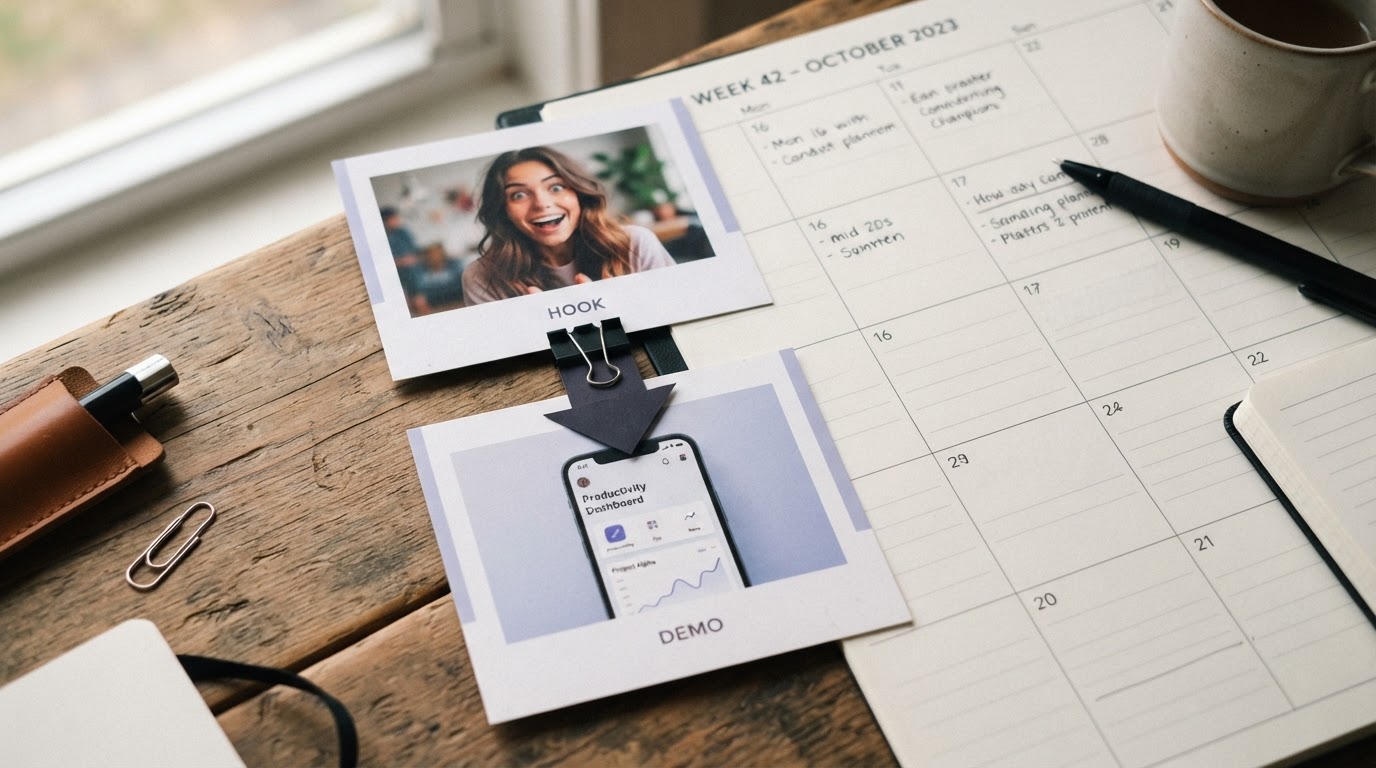
This is the core workflow. It assumes you have a product demo recorded and you want to build a hook clip and combine them into a finished ad.
Step 1: Record or collect your product demo
The product demo is the anchor of the whole ad. Everything else exists to earn attention before the demo appears.
A good product demo is screen-captured or filmed footage that clearly shows what the product does. For a mobile app, a screen recording of the key feature is usually enough. Keep it under 30 seconds. The demo does not need to be cinematic, it needs to be clear.
If you want specific advice on recording a demo that works well in ads, how to record a product demo walks through what actually matters.
Step 2: Build or generate a hook clip
A hook clip is the opening of the ad. It is a short video of a person reacting, talking, or doing something that matches the emotional tone you want to set before showing the product.
You have two paths here:
Path A: Film it yourself or hire a creator. You film a quick reaction or talking-head clip, or you use a library like DansUGC to find real-human hook clips that are proven to stop the scroll. Real footage tends to feel more natural, and a good library of it gives you a lot to work with.
Path B: Generate it with AI. If your library is thin or you want to test a new angle quickly, tools like Clipr inside ClipStitchr let you choose an avatar photo and generate a short reaction or b-roll clip. You pick the style, the avatar, and any scene details, then save the result into your hook library.
Step 3: Pair the hook with the demo
Once you have both clips, combine them. The hook clip goes first, the demo follows immediately after. The transition needs to feel fast. Any gap or dead air between the hook and the demo loses viewers.
In ClipStitchr, Stitchr handles this pairing automatically. You select the demo, and the tool matches it with hook clips from your library, keeps the sequence intact, and produces finished drafts for review. In Batch mode, it generates several versions at once so you have options to compare.
Step 4: Add text overlays and captions
Text overlays are the short lines of copy that appear on screen during the ad. They reinforce the hook, add context, or give muted viewers a reason to keep watching.
Captions are the transcript of any spoken audio. They are not optional for TikTok and Reels. Most viewers watch without sound, especially when they first encounter an ad.
Both should be short, easy to read on a phone, and not competing with the video itself.
Step 5: Score the ad before posting
Before you post anything, run a quick check on whether the ad is actually ready. Look at:
- Does the first second give a clear reason to keep watching?
- Does the hook connect naturally to the demo?
- Is there any dead air or slow moment that a viewer would skip past?
- Can someone understand the ad without audio?
ClipStitchr's Clip and Stitch scores do this automatically. The score flags weak openers, slow pacing, and hook-to-demo mismatches before the ad goes anywhere.
Step 6: Export and post
Once the ad looks right, export it as a vertical MP4 and post it. If you are using a scheduling tool, Post-Bridge integrates with ClipStitchr to move finished ads from the draft library into a posting queue and bring performance data back to guide the next version.
The hook problem and how to fix it
The biggest failure point in UGC ads is not the product demo, it is the hook. Most ads die in the first two seconds because the opening clip does not give the viewer a reason to stay.
Common hook mistakes:
- Starting with a logo or product name before showing a person or action.
- Using a slow zoom-in or fade-in that delays the main subject.
- Opening with spoken words that take too long to get to the point.
- Using a hook that has no emotional connection to the product.
What actually works:
- A face in the frame within the first half second.
- An unexpected statement, unusual visual, or relatable situation.
- Text overlay that asks a question or makes a claim the viewer wants to test.
- Motion from the very beginning.
The hook is also the part that benefits most from testing multiple versions. Even a small change, like starting the clip one second earlier or changing the first line of text, can significantly affect how long people watch.
This is why generating multiple hook variations with AI is genuinely useful. You can test five different openers against the same demo without filming five different clips.
For a longer guide on creating hook and UGC content with AI, how to create UGC videos with AI goes into more depth on the clip creation side.
How to build a repeatable UGC ad workflow
The reason most indie builders run out of UGC ads is not that they cannot make one. It is that making each one feels like starting from zero. The workflow below is designed to prevent that.
Keep everything in one place
The biggest time drain in UGC ad production is searching for files. Clips end up in three different folders, the demo is in Dropbox, the hook is in an iMessage thread, and the text overlay is in a sticky note. By the time you have assembled everything, half your session is gone.
A dedicated library for hooks, demos, generated clips, drafts, and finished ads saves that time. ClipStitchr keeps all of these in a single library with tabs for each type so nothing gets buried between sessions.
Save your best structures as templates
When a particular ad structure works, save it. The hook style, the trim points, the caption format, the text overlay timing. These are the things you will want to replicate without rebuilding.
ClipStitchr's Templates feature saves the structure from a finished Stitch so the next batch can start from that setup instead of a blank state. You swap the hook clips, keep the structure, and review the new drafts.
Score clips before building ads around them
Nothing wastes more time than spending an hour building an ad around a clip that had a slow opener or shaky camera presence. A quick score before you start tells you which clips deserve your attention and which ones should be trimmed or skipped.
This is true for both real filmed clips and AI-generated clips. Generated clips can still have timing problems, unusual hand positions, or unclear action.
Generate new hooks when the library is thin
If you have one usable hook clip and one product demo, you can make one ad. If you have ten hook clips, you can make ten variations and find out which hook actually performs.
When filming more clips is not practical, AI generation fills the gap. Clipr inside ClipStitchr makes short reaction clips from an avatar photo. Swapr creates a variation of an existing clip with a different face. Both go into the same hook library and can be used immediately in Stitchr.
Review before you post
The most expensive mistake in paid advertising is running a bad ad for three days before you notice. A quick review before posting catches the obvious problems: a dead-air pause before the demo, a text overlay that runs too long, a hook that ends awkwardly.
Build the review step into the workflow, not as an afterthought.
The video below walks through a full AI UGC ad workflow from hook to finished ad, which is useful if you want to see the process from start to finish:
How to check an ad before it goes live
Running an ad that is not ready wastes budget and can also train the algorithm on the wrong audience. A short pre-post checklist saves both.
For the hook clip:
- Does it have a face or clear subject in the first half second?
- Does it give a reason to keep watching?
- Is the pacing fast enough?
For the hook-to-demo transition:
- Does the cut feel natural?
- Is there any unnecessary gap?
- Does the demo make sense given what the hook set up?
For the text and captions:
- Is the text short enough to read before the scene changes?
- Are captions accurate?
- Does the text work without audio?
For the finished ad:
- Is the total length appropriate for the platform and objective?
- Would someone who has never heard of the product understand what it does?
- Is there a clear implied next step?
ClipStitchr gives a numerical Stitch score alongside plain notes on the opener, pacing, and hook-to-demo flow. It is not a guarantee the ad will perform, but it catches the problems that are easy to miss when you have been looking at the same clip for 20 minutes.
Common mistakes that waste time
Using the same hook for every ad. Different hooks reach different people. Testing multiple openers against the same demo is the fastest way to find out what actually stops the scroll. If you are only running one hook, you are flying without data.
Skipping captions. Most viewers watch without sound, especially when they encounter an ad for the first time. An ad without captions is effectively a silent film with no subtitles. Add them.
Making the demo too long. The demo should show the result quickly, not every feature. Viewers who are interested will click. Viewers who see a two-minute demo before they have decided whether they care will scroll away.
Rebuilding the same structure every week. If a particular hook format and demo structure consistently performs, save it as a template and use it again. The specific clips change, the structure does not.
Posting without reviewing. The most fixable problems in UGC ads, a slow opener, a bad cut, a confusing caption, are also the ones that are easiest to catch with a two-minute review before posting. Skip the review and those problems run on a paid ad budget.
Not having enough hook variety. One strong demo is enough to build many ads. Ten different hooks in front of that demo give you real data on what grabs attention. If the hook library is too thin, generate more clips rather than running the same opener repeatedly.
For a beginner-friendly walkthrough of the full AI UGC creation process, this free course covers the workflow from scratch:
A simple recommendation for indie builders
If you are building a mobile app and you need TikTok or Reels ads without a full production setup, the fastest path is:
- Record one clear product demo.
- Collect or generate a small library of hook clips, at least five to ten.
- Pair each hook with the demo and review the results.
- Score the ads before posting.
- Save the structure that works as a template.
- Generate new hook variations when the library gets stale.
The tools to do this with AI exist now. The question is whether you have a workflow that turns raw clips into finished ads without rebuilding everything from scratch each time.
ClipStitchr is built for exactly this workflow. Upload hooks and a demo once, let Stitchr pair them together, check the scores before posting, and save the structure as a template for the next batch. When the library is thin, Clipr and Swapr generate new hook clips from avatar photos so the work keeps moving.
If you want to see what the output looks like before signing up, the examples page has finished Stitches from real clips. The getting started guide walks through the first session in about ten minutes.
You can also start with a 14-day free trial with no credit card required.
For more on getting traction once the ads are running, how to get 1000 views on TikTok fast is worth reading alongside this guide.