
If you need to run short-form ads and you do not have a video team, UGC-style content is the format that works right now. It feels native to TikTok and Reels, it does not look like a polished production, and audiences respond to it.
The problem is cost and volume. Hiring real UGC creators for every campaign gets expensive quickly, and you still end up doing the editing yourself. That gap is exactly what AI UGC video tools are trying to fill.
This post compares the main tools available right now, explains what each one is actually built for, and helps you figure out which one fits your situation.
Table of Contents
- What "AI UGC video" actually means
- What to look for before you pick a tool
- The main AI UGC video tools compared
- ClipStitchr: built for the campaign loop, not just one clip
- Arcads: realistic avatar-driven UGC ads
- HeyGen: flexible avatar video for multiple use cases
- MakeUGC: quick AI spokesperson clips
- Creatify: script to ad in one step
- Nano Banana and Seedance: newer AI video generation options
- Which tool fits which situation
- Final notes
What "AI UGC video" actually means
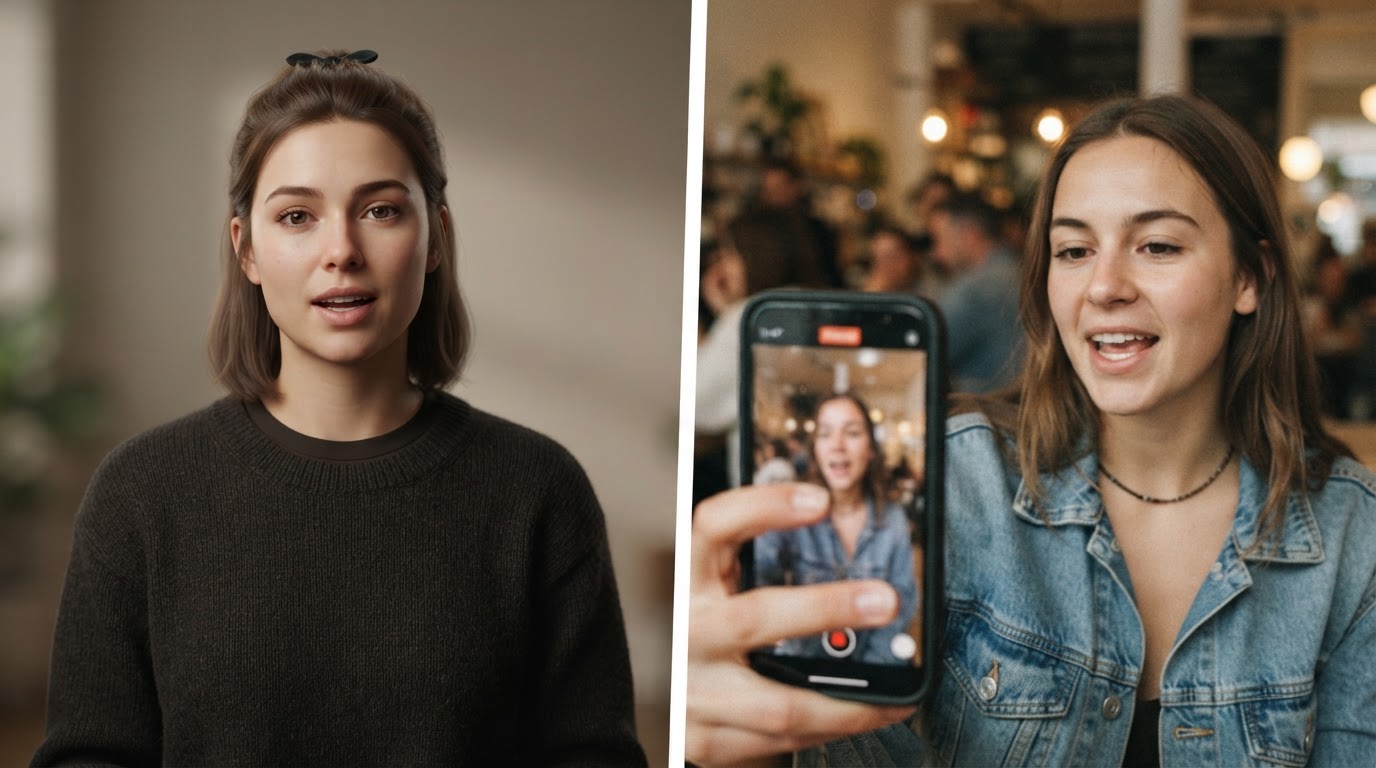
UGC stands for user-generated content. In the ad world, UGC-style videos look like something a real customer or creator shot on their phone. They feel unscripted, direct, and honest. They convert well because they do not look like ads.
AI UGC video tools generate that same style without requiring a real person to film anything. Some use AI avatars that read a script. Others remix existing footage. Some combine hooks and product demos automatically. The output ranges from a talking head clip that looks like someone filmed themselves to a fully stitched short-form ad ready to post.
This is a broad category and that matters because different tools solve different parts of the problem. If you are shopping for one of these tools, understanding what each one is actually doing will save you a lot of time.
For a longer look at what this format involves, the ClipStitchr blog covers what AI UGC video content really is in plain terms.
What to look for before you pick a tool
Before jumping into the tool list, it is worth knowing what questions to ask. Every tool has a headline feature, but the part that usually causes friction is not the headline.
Volume output. Can you make 10 or 20 variations in one session, or is every video a separate manual project? If you are running paid ads, you need to test multiple hooks. One video per session will not keep up.
Hook quality. The first two seconds of a short-form ad decide everything. Does the tool help you build strong openers, or does it just paste a script on top of an avatar?
Product demo integration. Most UGC ad formats use a hook clip followed by a product demo. Not every tool handles both halves of this, so you sometimes end up stitching pieces together yourself.
Clip and ad quality scoring. It helps to know whether a clip is worth using before you build a whole batch around it. Some tools include scoring, most do not.
Library management. If you are running ongoing campaigns, you need somewhere to store clips, demos, finished ads, and templates that persists between sessions.
Posting and scheduling. After the ads are ready, how do they get out? Some tools handle scheduling natively, others rely on third-party bridges.
Keep those in mind as you go through the options below.
The main AI UGC video tools compared
Here is an honest look at the tools that come up most often when marketers are researching this category.
ClipStitchr: built for the campaign loop, not just one clip
Best for: Indie app builders, solo founders, and small teams who already have footage and need to turn it into batches of short-form ads on a repeatable schedule.
ClipStitchr is the tool in this list most focused on workflow rather than a single output. The core idea is simple: you upload hook or UGC clips and one product demo, then the tool batches them together into finished vertical ads.
What makes it different is the campaign structure around that core. Every session picks up where the last one left off because clips, demos, scores, and finished ads all live in one shared library. You do not start from scratch each time.
The batch mode is the main feature. Pick up to 20 hook clips, choose one product demo, and ClipStitchr generates a finished stitch for each hook. You review them, keep the winners, fix the weak ones, and download what is ready. That loop is repeatable without rebuilding anything.
On top of that, ClipStitchr includes:
- Clip scoring that rates each hook on opener strength, pacing, clarity, and short-form platform fit. Before you build 20 ads around a clip, you know whether it is worth using.
- Stitch scoring that checks the finished ad for hook-to-demo flow, drop-off risks, and suggested trims. A gut check before posting.
- Hook Lab that surfaces hook ideas and patterns worth repeating. When your ideas run dry, it gives you structured starting points.
- Clipr, which generates short reaction, b-roll, or remixed demo clips when your source library is thin. It is not a replacement for real footage but it fills genuine gaps.
- Swapr for creating variations on existing clips without reshoring anything.
- Swipr for building carousel drafts from saved product content.
- A CLI tool for recording demos, starting batches, and queuing finished work directly from the terminal. Useful for developers who want this in their existing workflow.
- Daily draft automation on higher plans, which means the tool can prepare a review-ready batch automatically each day for active products.
For posting, ClipStitchr connects with Post-Bridge, which handles scheduling and analytics after the ads are exported.
Pricing starts at $39 per month for one product, 2,000 creation credits, and 3 Clipr or Swapr videos per month. The Pro plan is $99 per month for three products, 8,000 credits, 10 AI-generated clips, and daily drafts for one product. The Agency plan at $399 per month covers 10 products, 20,000 credits, 50 AI clips, and daily drafts for all products.
The case study worth reading is Guppy, a fitness app that published 75 reels in 30 days while the app was still being built. That kind of volume is not realistic with a manual editing workflow.
Where it falls short: ClipStitchr is built around footage you already have. If you have no clips at all and want to generate an entire ad from a script, it is not the right starting point. It works best when you have product demos and at least a few hook clips to work from.
For a deeper look at realistic UGC video production, the ClipStitchr guide on making realistic UGC videos is worth reading before you start.
Arcads: realistic avatar-driven UGC ads

Best for: Marketers who want a realistic AI spokesperson to deliver a scripted UGC-style ad without hiring a real creator.
Arcads focuses on generating talking-head style video content using AI actors. You write a script, choose an avatar, and the tool generates a clip that looks like someone filmed themselves talking about your product.
The avatars in Arcads are one of the better implementations of this in the market. The lip sync is tight and the overall clip looks more natural than many competitors in the same category. That matters because realistic UGC depends entirely on not looking generated.
Where Arcads works well is in generating the hook or spokesperson portion of an ad. Where it requires more from the user is the rest of the production. Getting from an Arcads clip to a finished, posted ad still involves combining that clip with a product demo, adding captions, formatting for vertical, and exporting.
For a detailed breakdown of how Arcads stacks up against ClipStitchr and other tools, the ClipStitchr comparison post covers the differences honestly.
HeyGen: flexible avatar video for multiple use cases
Best for: Teams that need AI avatar video across multiple formats, not just short-form ads.
HeyGen is one of the most well-known tools in the AI video space. It generates talking-head video using AI avatars and supports multiple languages, custom avatars, and a wide variety of output formats.
For UGC ad creation specifically, HeyGen can produce the spokesperson clips that sit at the top of an ad. The quality is generally high and the platform is well-documented.
The limitation for pure UGC ad workflows is similar to Arcads: HeyGen generates the clip, but the ad production workflow lives outside the tool. If you are managing a campaign with many variants, you are assembling everything manually. HeyGen is also priced at a higher tier than tools focused specifically on ad creation.
That said, if your use case includes more than just ads, such as onboarding videos, explainers, or multilingual content, HeyGen covers more ground than the tools here that are focused only on short-form ads.
The ClipStitchr guide on HeyGen alternatives compares options if you are looking at this category more broadly.
MakeUGC: quick AI spokesperson clips
Best for: Marketers who want a fast, low-friction way to generate UGC-style spokesperson videos without much setup.
MakeUGC sits in a similar space to Arcads. You provide a script, choose from a library of AI avatars, and get a talking-head clip back. The pitch is speed. There is not a lot of configuration involved.
For small teams that need a quick test clip without committing to a larger platform, MakeUGC can get something watchable out the door fast. The avatar quality varies depending on which one you choose and the platform has improved since launch.
The same limitations apply as with the other avatar-first tools. You are getting a clip, not a finished ad. And if you need to produce ten variations to test different hooks, the workflow gets repetitive quickly.
For context on how this tool fits alongside other options, the MakeUGC alternatives post on the ClipStitchr blog walks through the trade-offs.
Creatify: script to ad in one step

Best for: Marketers who want to go from product URL or script to a finished short-form ad without any raw footage.
Creatify takes a different approach to the others in this list. You give it a product URL or a script, and it generates a complete short-form ad, often combining an AI spokesperson with product screenshots or generated visuals.
The appeal is the zero-footage-required entry point. You do not need existing clips. You do not need to record a product demo. The tool pulls what it needs and assembles something.
The trade-off is that the ads look like what they are. The AI-assembled aesthetic is readable to most audiences who spend time on TikTok and Reels. For testing concepts fast before investing in real production, that might be fine. For building a long-term creative library that can run at scale, the footage that came from an actual product or a real person tends to perform better.
Creatify has added features over time and is worth trying if you have no footage to start with and need to move quickly.
Nano Banana and Seedance: newer AI video generation options
Best for: Marketers who want to experiment with fully generated video rather than avatar-based talking heads.
Nano Banana and Seedance represent a newer direction in AI video. Rather than generating a scripted spokesperson clip, these tools can create more dynamic video content using generative AI models. Seedance in particular has gotten attention for more flexible video generation that goes beyond the talking-head format.
The honest note here is that this category is evolving fast. The quality is improving quickly but the output can still be inconsistent, and the workflow for getting from generated footage to a finished, on-brand short-form ad requires more manual assembly than purpose-built ad tools.
If you want to see what these tools produce in a real ad context, this tutorial covers the approach practically:
And for a more detailed look at using Claude alongside Seedance to produce AI UGC ads, this one is worth watching:
These tools are worth watching and experimenting with, but they are not yet at the point where they replace a structured campaign workflow for most marketers. They are best used as a source of supplementary clips rather than the entire production pipeline.
Which tool fits which situation
Here is a plain way to think about the choice.
You have footage but no editing workflow: ClipStitchr is the most direct answer. You already have the raw material. The problem is turning it into finished ads repeatedly without rebuilding the same workflow every week. That is exactly what ClipStitchr is designed to solve.
You have no footage and need something fast: Creatify or MakeUGC will get you something watchable quickly. The quality ceiling is lower but the entry friction is minimal. Use these to test a concept before investing in real production.
You want realistic AI spokespersons: Arcads or HeyGen produce the most natural-looking AI avatar clips in the market right now. They work well as the hook clip in a hook-plus-demo format, but you will need to handle the rest of the ad yourself.
You want to experiment with fully generated video: Nano Banana and Seedance are worth trying if you want to push beyond the talking-head format and see what generative video can do. Expect some inconsistency and plan for manual review of the output.
You are managing multiple products or clients: ClipStitchr's Pro and Agency plans are built for this. Multiple products, shared library, daily draft automation, and clip scoring across everything in one place.
You need to post at scale: ClipStitchr connects with Post-Bridge for scheduling and analytics. Combined with ClipStitchr's daily draft automation on higher plans, you can build a queue that does not require daily manual action.
One thing worth noting: real footage still outperforms fully generated footage in most short-form ad contexts. The most effective workflow combines actual product demos with AI tools that handle the volume problem. That is where tools like ClipStitchr earn their place. They are not replacing the footage, they are removing the repetitive editing work that makes producing at volume impractical.
If you are still figuring out what kind of short-form video editor would suit your overall workflow, the ClipStitchr guide on the best video editors for short videos covers the broader landscape.
How the hook-plus-demo format works in practice
Most short-form ads that convert on TikTok and Reels follow the same basic structure: a hook that earns the first few seconds of attention, followed by a product demo that shows what the product actually does.
The hook can be almost anything. A reaction clip. Someone making a claim. A question. A surprising result. The demo is the proof. The hook gets the watch, the demo gets the click.
AI UGC tools enter this structure in different places. Avatar tools like Arcads and HeyGen are best suited to the hook. Tools like ClipStitchr are built around the whole sequence, pairing hooks with demos and scoring the result before you post it.
Understanding where a tool enters this structure helps you figure out what else you will need to build around it. An avatar tool that generates a great hook still requires you to have a product demo and a way to put it all together. A batch tool that pairs hooks with demos still requires you to have some hooks to start with.
The hook and demo format guide on the ClipStitchr blog explains this structure in more depth for anyone building their first campaign around it.
For a practical ROAS-focused tutorial that shows what a well-structured AI UGC ad can actually return, this video covers the end-to-end approach:
The part most tools skip: what happens after the clip

The clips are the most visible part of the work but not usually the bottleneck. The bottleneck is what happens around the clips.
How do you score which hooks are worth building ads around? How do you know if a finished ad has a drop-off risk before you put budget behind it? How do you keep track of which clips you have used, which ones performed, and which formats are worth repeating? How do you keep producing without rebuilding the same setup every week?
Most AI UGC tools do not answer these questions. They produce a clip and leave the rest to you.
This is the gap ClipStitchr is most directly addressing for solo founders and small teams. The clip scoring, stitch scoring, shared library, Hook Lab, and daily draft automation all exist because making a single good ad is not the hard part. Making 20 good ads every month without burning out is.
If your situation involves ongoing campaigns rather than a one-time project, the tool that helps you maintain the workflow matters as much as the tool that generates the best individual clip.
For context on how other marketers are navigating these trade-offs, the discussion of UGC ad workflow alternatives on the ClipStitchr blog includes honest community perspectives worth reading.
And if you are growing a mobile app and want to understand how carousel and slideshow content fits alongside video, the ClipStitchr guide on slideshow content for mobile apps covers the Swipr side of the workflow.
Final notes
The AI UGC video space is moving fast. Tools that were the best option six months ago have been caught up by newer entrants, and the quality floor for AI-generated video is rising.
A few things that are likely to stay true regardless of which tools come out next:
Real product footage still converts better than fully generated video, especially for apps and software where showing the actual product is the most direct path to trust.
Volume matters for short-form ads. Testing more hooks against the same demo consistently outperforms trying to perfect one ad before posting it.
Workflow is where most small teams fall behind. The tools that help you produce at volume without requiring a fresh setup every session are worth paying for.
For marketers and indie builders who already have footage and need a repeatable system to turn it into ads, ClipStitchr is worth starting with. The Starter plan at $39 per month includes the full tool set and is enough to see whether the batch workflow removes the friction that has been slowing you down.
If you want to see what the output looks like before committing, the examples page has real clips and finished stitches built from actual footage, not mockups.